“WS2812B COB LED strip” usually means you want COB-style dotless appearance plus WS2812B-class addressable control. This guide is written for B2B buyers and engineering teams (OEM integration, distributors, and project installs) and focuses on verification and failure prevention—without inventing model-level specs.
A “WS2812B COB” strip is best treated as a WS2812B-class addressable COB (RGBIC) strip: it may behave like WS2812B for controllers/software, but the exact IC and pixel mapping must be verified.
Before you buy (or approve a bulk order):
Confirm the actual IC/protocol (don’t rely on listing titles).
Confirm pixel mapping: individual pixels vs grouped pixels (affects effect resolution and pixel count).
Confirm color order (RGB/GRB/etc.) and any required controller settings.
Validate with a sample using your real controller and a few test patterns.
Before you power up:
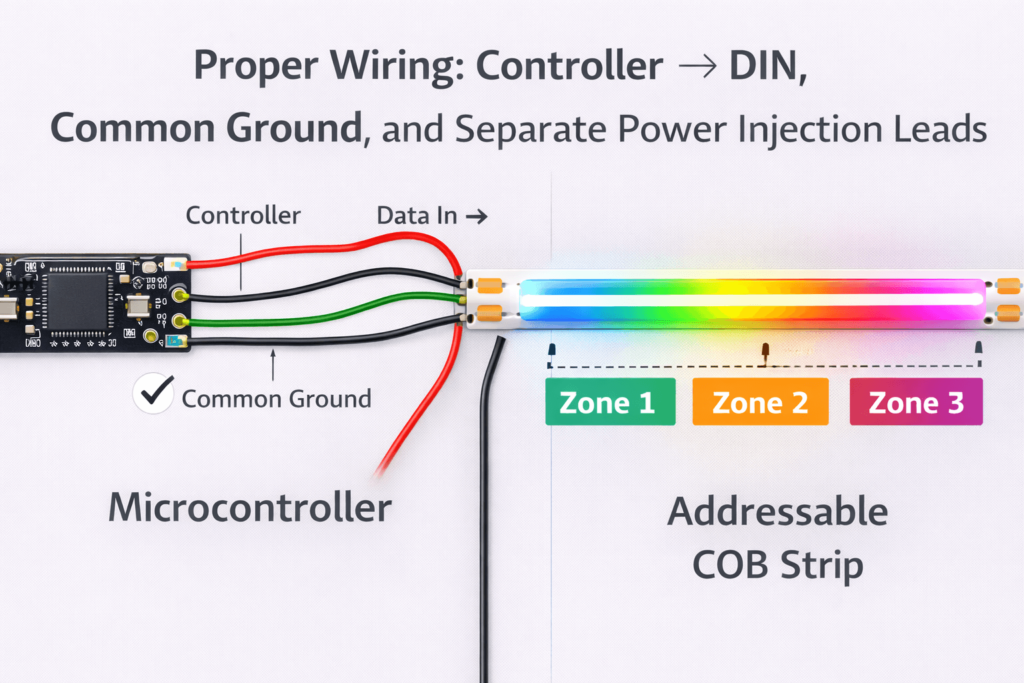
Feed data into DIN (direction matters) and ensure common ground.
Plan power injection for longer runs and verify stability under load.
Boundary conditions:
“WS2812B” labeling can be loose; “compatible” must be proven by docs + sample tests.
COB changes the look; addressability can be individual or grouped.
What “WS2812B COB” Actually Means (Addressable COB / RGBIC)
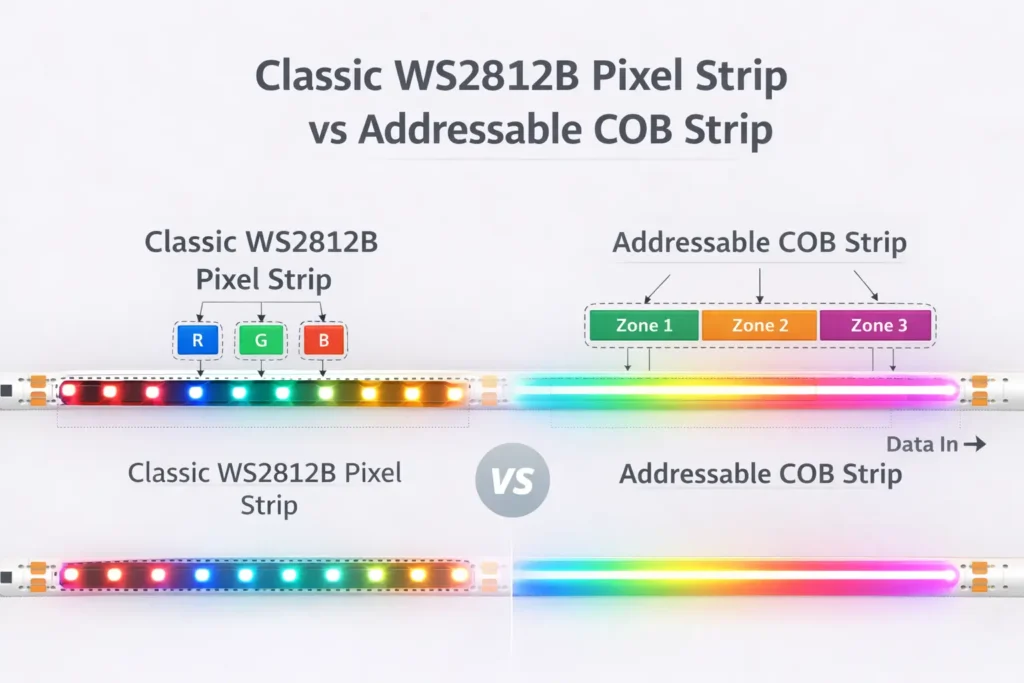
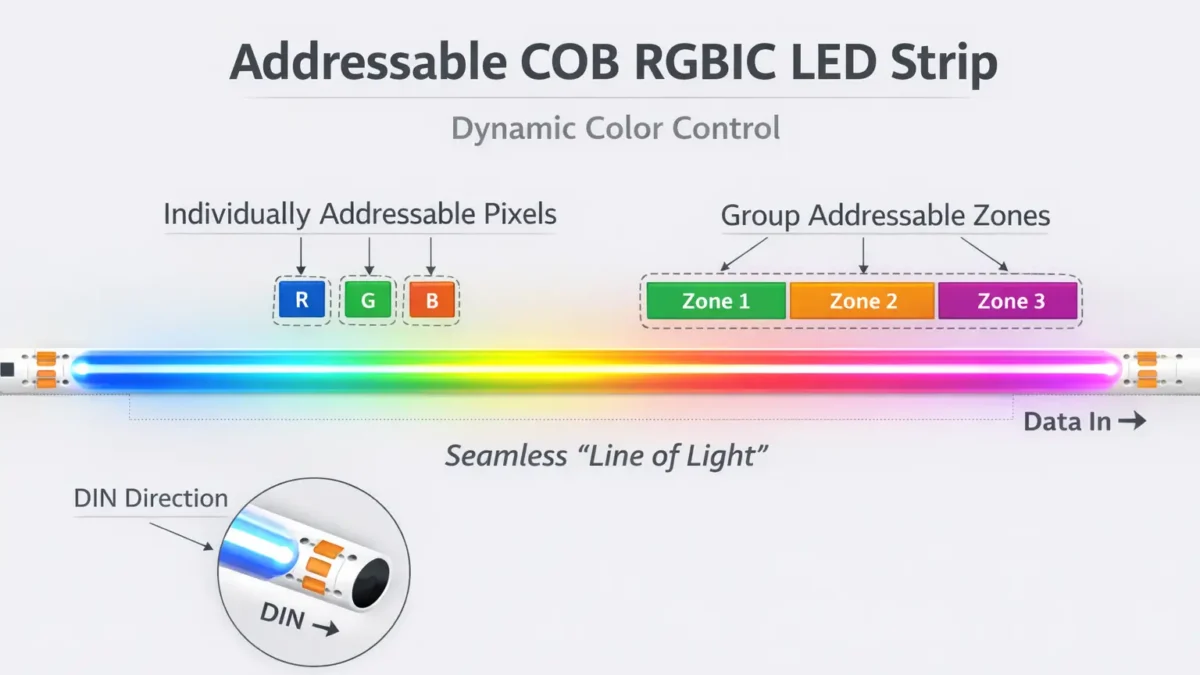
“WS2812B COB” usually points to an addressable COB strip (often called RGBIC/FCOB): COB helps create a more continuous line of light, while an IC-based data chain controls pixels (or pixel groups).Key points (what it is / what it isn’t):
COB is mainly an optical/packaging choice for a smoother look.
Addressable/RGBIC is a digital control method (IC chain + data direction + mapping).
“WS2812B” often means “WS2812B-class timing/profile,” not a guaranteed internal IC.
Addressable COB vs classic WS2812B pixel strip (quick comparison):
Topic
Addressable COB (RGBIC/FCOB)
Classic WS2812B pixel strip
Visual look
More continuous / less dotting
Visible LED points unless diffused
Addressability
Individual or grouped (verify)
Often individual (verify)
Main risks
Vague labeling + grouped mapping surprises
Power/wiring mistakes; color order/mapping issues
Best fit
“Dotless” effects in architectural/commercial use
High-detail pixel effects and easier debugging
Boundary conditions:
Do not assume 1 LED = 1 pixel. Grouping is common in addressable COB.
Follow the strip’s printed labels and the supplier wiring diagram (pin order can vary).
COB vs addressable: what changes, what doesn’t
COB changes the appearance. Addressability depends on the IC/protocol + DIN→DOUT chain + mapping.
COB changes: perceived dotting and how quickly the strip looks like a continuous line of light.
Addressability depends on: IC identity, data direction, and pixel mapping (individual vs grouped).
Treat “COB” as a visual feature and “WS2812B-class” as a compatibility requirement that still needs verification.
Boundary conditions:
Don’t infer mapping from photos. Confirm with docs and a sample test.
Pixel grouping and animation resolution: how to set expectations
Pixel grouping means one addressable command controls multiple LEDs (or a short segment).
Why it matters:
Effects have lower “pixel resolution” (e.g., a chase moves in bigger steps).
Your controller setup must match the true pixel count/mapping.
How to verify:
Ask for mapping/group size in the datasheet or a diagram.
Validate with a slow chase/step pattern on a sample.
Boundary conditions:
Mapping can vary by model/series—confirm the exact SKU.
Chipset & Protocol: WS2812B vs WS2811 vs “WS2812B-like” — and How to Verify Before Ordering
For addressable COB products, “WS2812B/WS2811/compatible” often describes a controller timing/profile family more than a guaranteed internal IC. The safest approach is to confirm the protocol profile + mapping in writing, then validate with a sample.
IC/protocol profile, color order, mapping, DIN/DOUT
Wrong colors/mapping; unstable control
WS2811
Protocol profile + grouping/mapping assumptions
Effects look “chunky” or unexpected; mismatch with controller setup
“WS2812B-like/compatible”
Tested profile, mapping, and a sample validation plan
Flicker/sparkles or unexpected grouping
Boundary conditions:
Controller tolerance varies; “compatible” is proven only after sample testing.
For production, require batch-level confirmation of IC/profile and mapping (change control).
Verification checklist: what to request in writing (and what to test on samples)
Use this checklist to reduce mis-buy risk and support load.
Request in writing:
IC/protocol identity (or the tested WS2812B-class profile) + any known notes.
Pixel mapping/grouping description.
Color order and reference configuration.
Wiring diagram showing DIN/DOUT and power/ground pads.
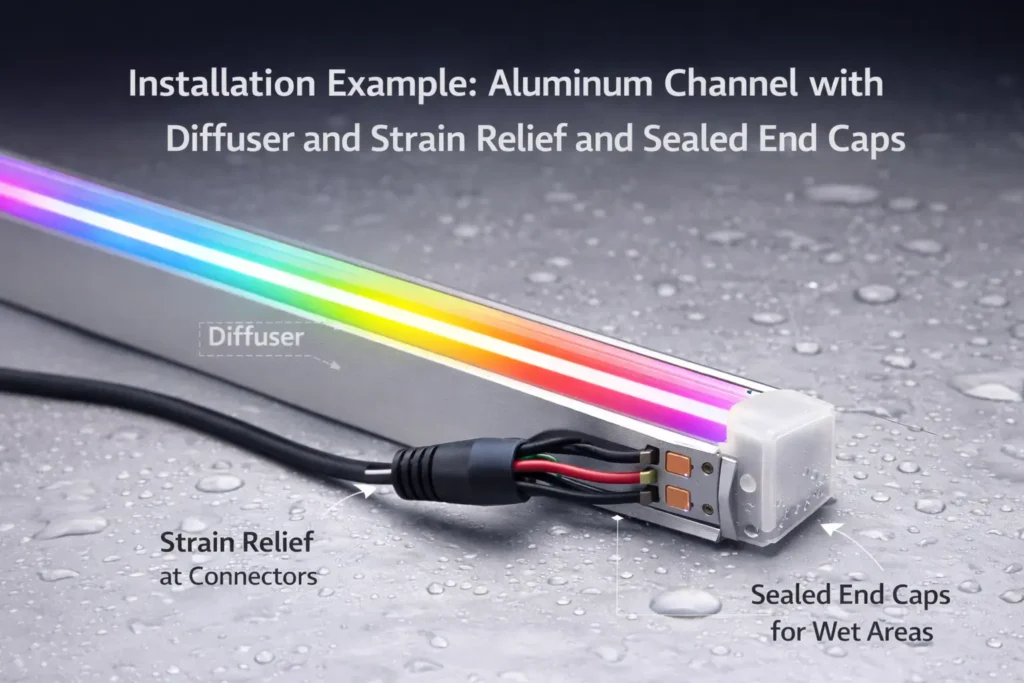
Environment/IP scope notes (by model/series, if relevant).
Sample validation (before you lock production or install at scale):
Verify colors and direction on a short segment near the controller.
Run a slow chase/step pattern to reveal grouping/mapping.
Run a bright/stress pattern and check for resets/flicker (power distribution).
If you will cut/re-join: do it once on the sample and re-test.
Boundary conditions:
Certification scope is model/series-dependent—confirm for the exact SKU.
Silent IC/mapping changes create recurring support risk; lock requirements for your program.
Power Planning for 5V Addressable COB: Injection Method + Commissioning Checks
Most 5V addressable strips face voltage drop as current increases along the run. Power injection is feeding power closer to where it’s used so pixels remain stable.
For B2B programs, the goal is to avoid “works in a demo, fails in production or onsite.” Standardize the RFQ and require docs + sample validation.
RFQ/spec checklist:
RFQ item
Why it matters
What to request/confirm
Voltage + power approach
Impacts PSU and injection
Datasheet + wiring/injection guidance
IC/protocol requirement
Determines compatibility
IC/profile confirmation in writing
Pixel mapping/grouping
Determines effect resolution
Mapping description + sample test
Color order
Prevents wrong colors
Reference config
DIN/DOUT + pads
Prevents wiring errors
Wiring diagram
Environment/IP needs
Prevents sealing failures
IP scope by model/series + install notes
Connectors/labeling
Reduces field errors
Connector spec + labeling/traceability
Documentation pack (request before bulk order):
Datasheet (model/series-specific)
Wiring diagram (DIN/DOUT + power pads)
Controller notes (tested profile + color order + mapping assumptions)
Installation notes (mounting, bend limits, IP boundaries)
Certification scope statement (by model/series, if required)
Sample validation flow:
Controller test (colors, direction, mapping).
Power/injection stress test under a bright pattern.
Cut/re-join test if needed.
Basic incoming checks across multiple samples for consistency.
Boundary conditions:
Certification scope must be confirmed by model/series.
If numeric values matter (power/current/run length), require datasheet-backed values for the exact SKU.
FAQ
Q: Are “WS2812B COB” LED strips truly individually addressable? A: Some are individually addressable and some are grouped. Confirm mapping in documentation and verify with a sample pattern that reveals grouping.
Q: What’s the difference between WS2812B, WS2811, and “WS2812B-like” ICs in addressable COB strips? A: In practice the label often points to a timing/profile family, not a guaranteed internal IC. Confirm the exact profile, color order, and mapping in writing and validate with your controller on a sample.
Q: How do I confirm the actual IC/protocol used in an addressable COB strip before placing a bulk order? A: Request the IC/profile confirmation plus a wiring diagram (DIN/DOUT) and mapping description, then run a short validation (colors, mapping, stability under a bright pattern).
Q: What is power injection, and where should I inject power on long addressable COB runs? A: Power injection feeds power closer to the load to reduce voltage drop. Place injection by thinking in zones (layout-based) and confirm under your worst-case brightness patterns.
Q: What wiring order should I follow (V+, GND, DIN/DOUT), and why is common ground required? A: Follow the labels for V+, GND, DIN, and DOUT and feed data into DIN. Common ground is required because the data signal needs a shared electrical reference.
Q: Can I cut and re-join addressable COB strips without breaking addressability? A: Yes, if you cut only at marked points and preserve polarity and data direction when re-joining, then re-test before permanent installation.
Summary & Next Steps
Treat “WS2812B COB” as WS2812B-class addressable COB (RGBIC): COB is the look; IC/profile + mapping determine behavior.
De-risk purchasing by requiring written confirmation + sample validation (IC/profile, mapping, color order, wiring direction).
De-risk commissioning by using zone-based injection planning and a fast power-vs-data isolation flow.
For B2B programs, a consistent RFQ + documentation pack + sample validation reduces rework and returns.
Scenario-based next steps:
OEM products: lock profile/mapping/connectors/labeling and validate across multiple samples.
Project installs: build a wiring/injection diagram around the layout and commissioning tests; decide serviceability vs sealing.
Distribution programs: include a short commissioning checklist and a “what to verify” sheet to reduce returns.
If you need a supplier-ready datasheet request list, wiring/injection diagram template, or help translating a layout into a sampling plan, share your requirements (voltage preference, run layout, environment, controller stack) or start at ElstarLED.


 Key points (what it is / what it isn’t):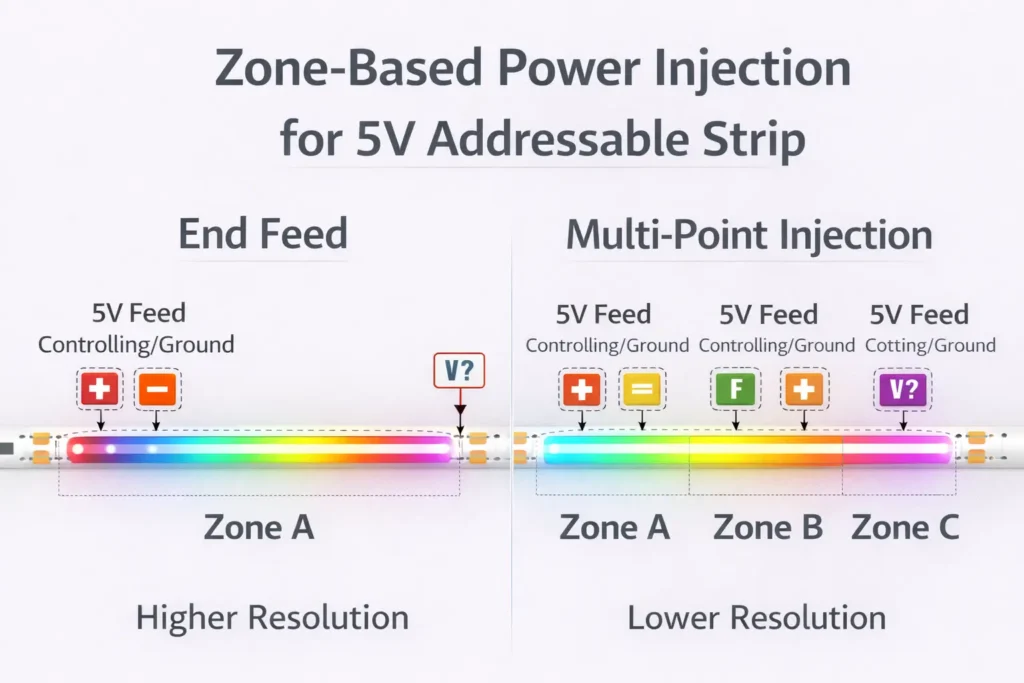



 English
  Spanish
  French
  Arabic

