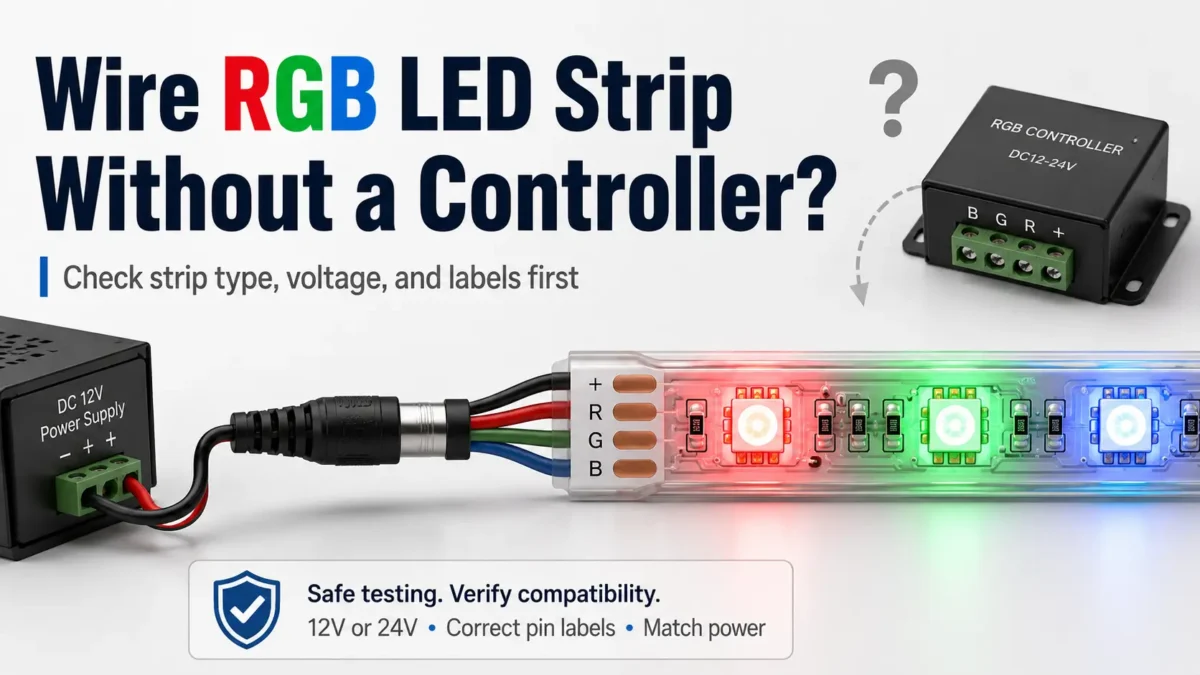
First, check what type of LED strip you have. You can sometimes light or test an RGB strip without a controller. However, a basic analog RGB strip is not wired the same way as a digital or addressable RGB strip. If you guess, the strip may not light, show the wrong color, get hot, or be damaged.
So, use this guide as a safe check list. It explains what can work, what will not work well, and when a matched controller is the better choice.
Yes, sometimes. For a matching analog RGB strip, you may be able to power or test the strip without a controller for a simple fixed color. However, you must first check the strip type, rated voltage, polarity, and printed pin labels. Also, use a controller for color change, dimming, effects, remote or app control, and many digital or RGBIC-style strips.
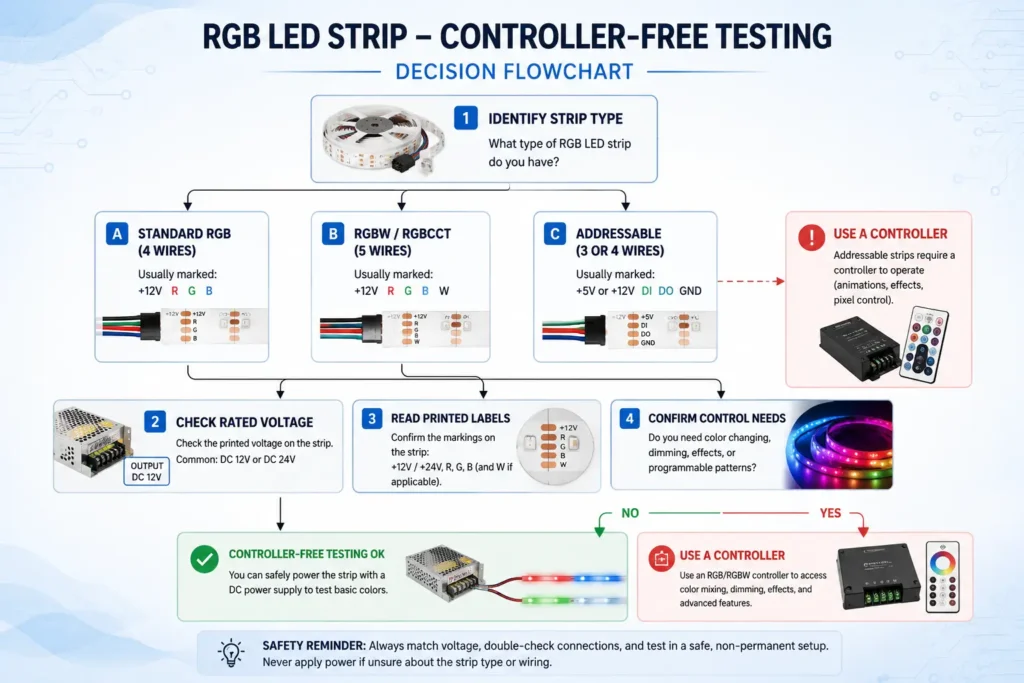
Before you wire anything, identify the strip. The term “RGB LED strip” can mean several strip types, and they do not all use the same control method. For product context, Elstar’s RGB/RGBW strip category and LED strip controller category may help you compare strip and control types. Still, use the labels on your own strip first.
| Strip Type | What to Look For | Use Without a Controller | Main Risk |
|---|---|---|---|
| Analog RGB strip | Often has R, G, B, and one power or common pad | May work for a fixed-color test if the labels, voltage, and polarity are known | Pin order and common pad can vary |
| RGBW strip | Has RGB pads plus one white pad | May work only when the pad layout is clear | More pads mean more chance of a wrong wire |
| Addressable RGB / RGBIC-style strip | Often has power plus a data input and data output path | Usually needs a controller or data signal | Power alone may not run the strip in a normal way |
| Unknown or damaged strip | Missing labels, damaged pads, loose wires, or no voltage mark | Do not guess | Wrong voltage, wrong pin, or a short circuit |
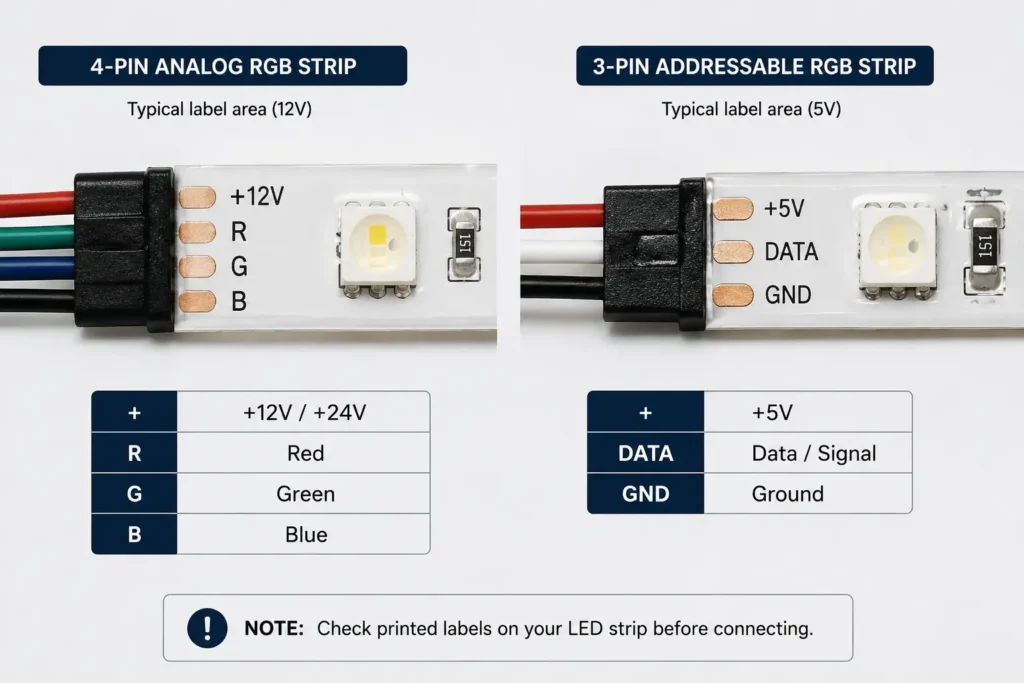
Also, do not rely on wire color alone. Instead, read the printed labels on the strip and match them with the product manual when you have one.
A controller does more than turn the strip on. For example, it can manage color choice, dimming, effects, and a remote or app link. Without it, the strip may only work in a basic fixed-color or test mode.
| Setup | What It May Do | What It Will Not Normally Do | Best Use |
|---|---|---|---|
| Direct fixed-color test on a matching analog RGB strip | Light one color channel or a simple fixed output | Remote control, color change, scenes, or app control | Quick strip test |
| Manual switch setup | Turn chosen channels on or off if designed for that use | Smooth dimming or moving effects | Simple fixed-color use |
| Controller setup | Color choice, dimming, effects, and remote or app control if supported | Depends on the strip and controller match | Normal RGB strip use |
| Addressable strip with data controller | Pixel or segment effects if the system supports them | Does not act like a basic analog strip | Moving or programmed light effects |
In short, direct wiring is not a full controller replacement. If you need repeatable color control, choose a matched controller.
Next, check the basic facts before you connect power. If one item is unknown, stop and get the right part or ask for help.
| Check | Why It Matters | If You Cannot Check It |
|---|---|---|
| Strip type | Analog RGB, RGBW, and addressable strips use different control methods | Stop and identify the strip first |
| Rated voltage | The power supply must match the strip rating | Do not connect power |
| Printed pin labels | Pin order can vary between strips | Follow the strip labels, not a random diagram |
| Polarity or common pad | A wrong common or wrong polarity can stop the strip or damage it | Do not guess |
| Power supply size | The supply must fit the strip length and load | Use a matched supply or ask for support |
| Loose wire or damaged pad | Loose strands and torn pads can cause a short | Fix or replace before power is applied |
| Indoor or outdoor use | Water, heat, and housing can affect the install | Use the right product and install method |
| Control need | Fixed color is not the same as dimming, remote control, or effects | Use a controller if control features are needed |
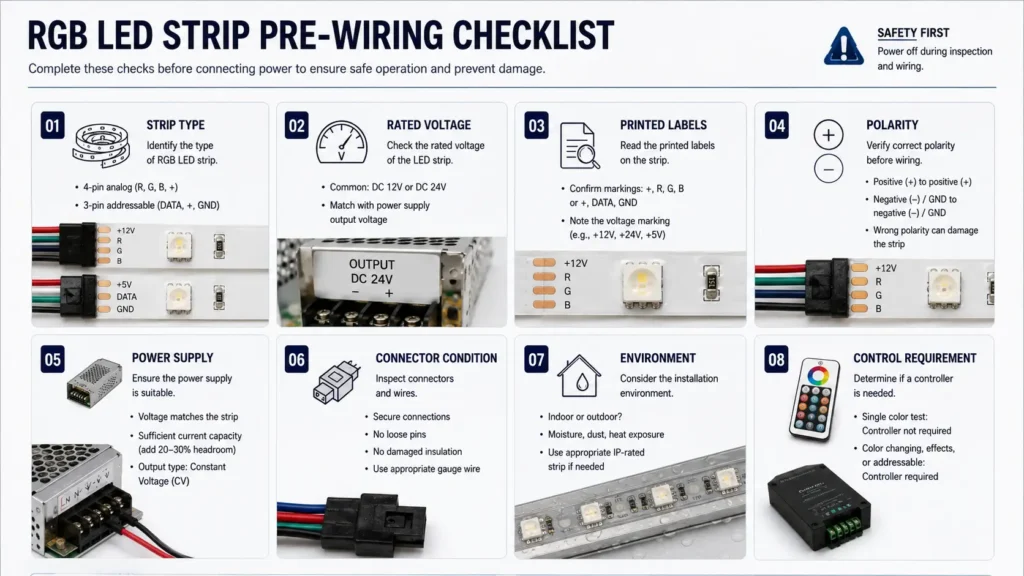
Also, check the LED power supply category only as a product reference. It should not replace the strip label, the product manual, or a project review.
For an analog RGB strip, the basic idea is that each color channel has its own path. Therefore, a fixed-color test depends on the strip labels, the rated voltage, and the right power path.
However, there is no one wire order for every RGB strip. Some strips use one common pad plus separate R, G, and B pads. Also, some RGBW strips add a white channel, and digital strips use a data signal instead.
Use this safe logic rather than a random online diagram:
If the strip gets hot, flickers hard, smells odd, or shows the wrong color, disconnect power. Then, check the strip type, labels, supply, and pins before you try again.
In many cases, a controller is the right choice. Use one when you need color change, dimming, effects, a remote, an app, or a clean install for a project site.
Also, use a controller for many digital or RGBIC-style strips because they need a data signal. For this reason, a controller is not just an add-on; it may be part of the core system.
If you need normal RGB control, review a matched LED strip controller rather than trying to force direct wiring.
| Symptom | Possible Cause | What to Check |
|---|---|---|
| No light | Wrong voltage, wrong polarity, wrong pin, damaged strip, or weak supply | Check strip voltage, pin labels, and power supply rating |
| Only one color lights | Only one channel is wired, or another channel is loose or damaged | Check each channel label and connector contact |
| Wrong color lights | Wire color may not match the strip label | Follow printed labels instead of wire color alone |
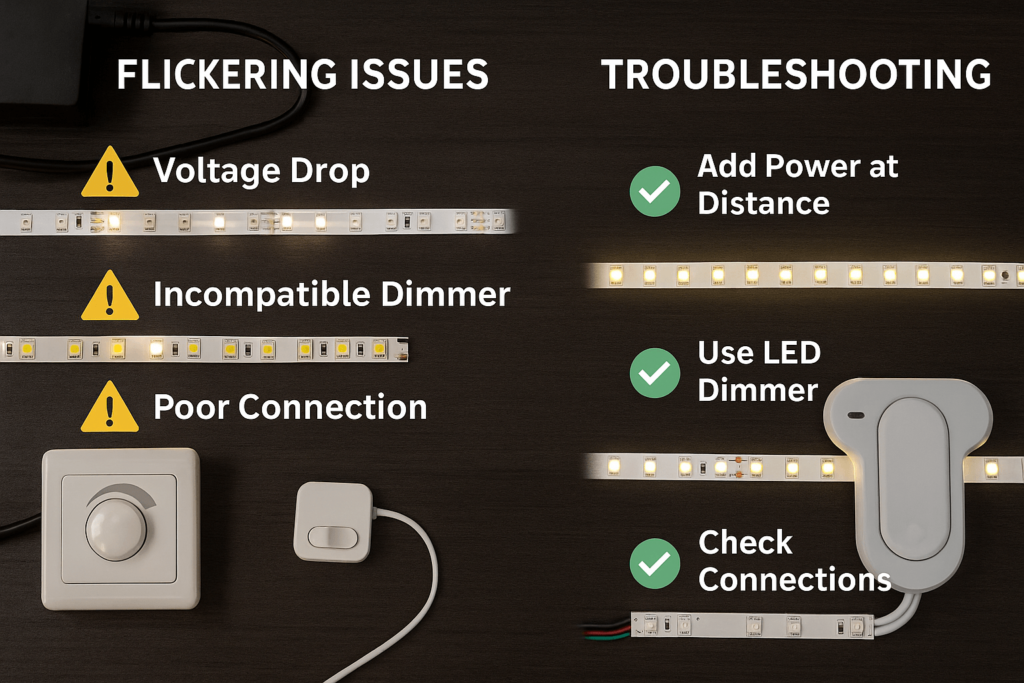
| Flicker | Loose contact, weak supply, damaged strip, or poor match | Disconnect power and inspect the connector, strip length, and supply |
| Strip gets hot quickly | Possible wrong wire, overload, short, or wrong use | Disconnect power at once |
| Addressable strip does not respond | Missing controller, missing data signal, or wrong data direction | Use a matched controller and check data input direction |
| Remote is missing | The remote may be only one part of the system | Check whether the controller box is still present |
As a result, do not keep powering a strip that gets hot, smells odd, or acts in a strange way. Instead, stop and ask for help.
If you are not sure what strip or controller you need, send clear details. This helps the support team check the fit without guessing.
For example, a clear photo of the pin labels can help the team decide whether you need a strip connector, controller, power supply, or a new strip. Finally, use the contact page when you want the team to review the details.
For general background, WLED separates digital addressable strips from analog strips, and it notes that analog strips use color-channel pins. Also, Adafruit’s NeoPixel guide explains that addressable LEDs need a data signal and that pin order can vary. Therefore, labels and product manuals matter more than a generic diagram.
Sometimes. For a matching analog RGB strip, you may be able to light or test a fixed color without a controller. However, you still need to check strip type, voltage, polarity, and pin labels first.
No. Analog RGB, RGBW, and digital/addressable strips use different control methods. Therefore, do not treat every RGB strip like a basic analog strip.
Usually, they need a controller or data signal. So, applying power alone is often not enough for normal use. Check the product manual and use a matched controller.
The strip may not light, may show the wrong color, may flicker, or may be damaged. If it gets hot, smells odd, or acts in a strange way, disconnect power and stop testing.
Possibly. However, the remote is not always the same as the controller. If the controller box is still present, you may only need a new remote. If the controller is missing, you may need a matched controller.
Send the strip voltage, pin-label photos, pin layout, connector photo, power supply photo, strip length, and control needs. Also, say whether you need fixed color, dimming, remote or app control, or effects.
If you are unsure what type of RGB LED strip you have, do not guess the wiring. Instead, prepare the strip voltage, pin labels, connector photos, strip length, use case, and control needs. Then, contact Elstar with those details so the team can review which controller, power supply, connector, or replacement strip may fit your project needs.

 English
  Spanish
  French
  Arabic