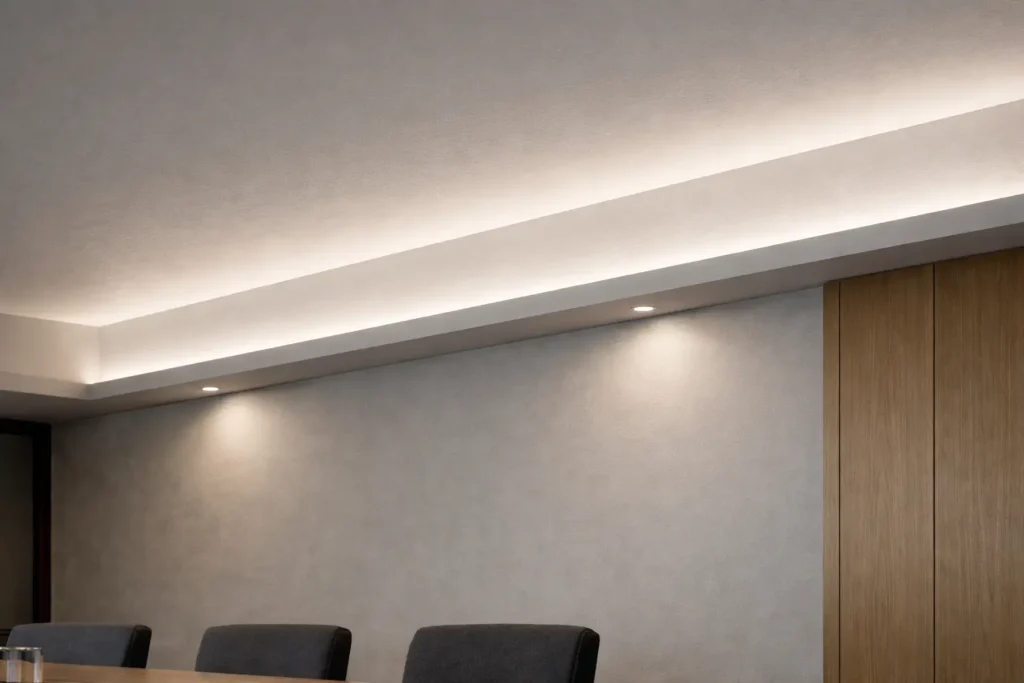
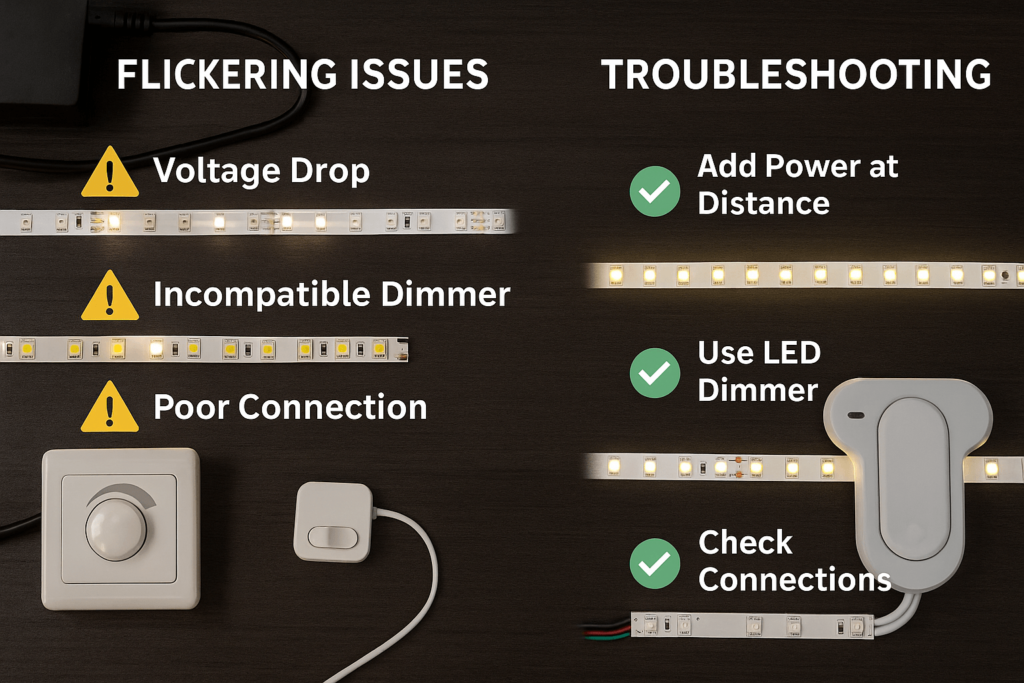
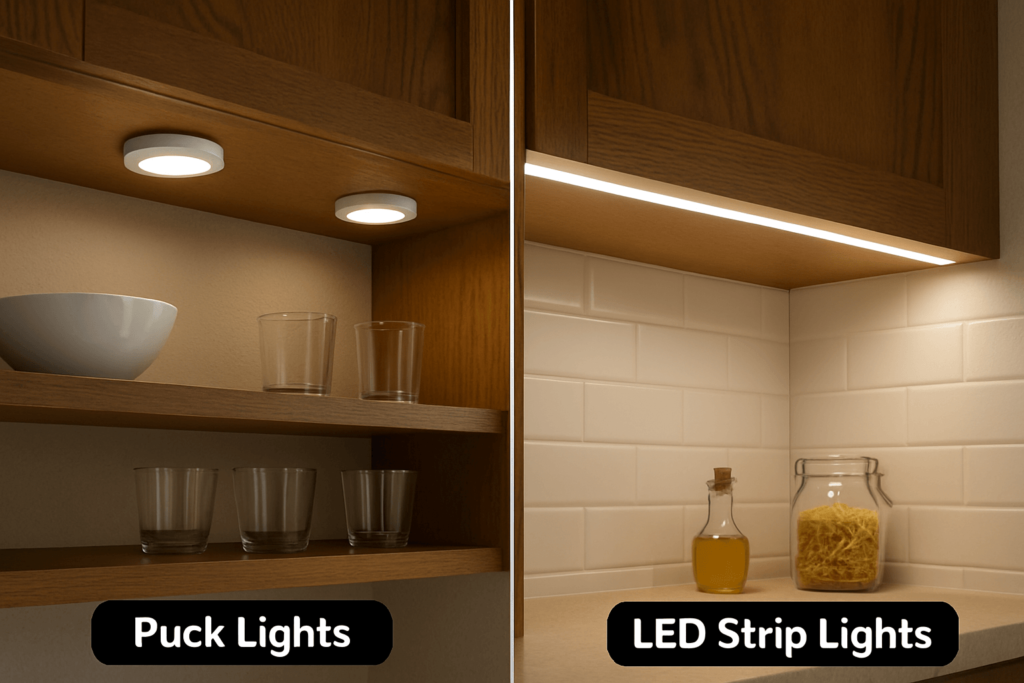
Buying LED strip lights for a project is not the same as choosing a small décor strip. A strip can look right online, yet still be a poor fit if the voltage, light output, color, IP rating, driver, controller, or install space is wrong.
Therefore, commercial buyers should start with the job, not the price list. This guide helps buyers, project teams, distributors, and OEM teams compare LED strip light categories and prepare a clearer RFQ before they contact a supplier.
First, define the use case. Then compare strip type, voltage, brightness, color or CCT, CRI, IP rating, run length, power supply, controller, mounting method, and quantity. For a project order, also prepare RFQ details such as total length, install site, control method, destination, and any document needs before asking for a quote.
First, write down where the strip will be used. For example, a retail shelf, outdoor sign, hotel cove, cabinet, machine, and OEM product may each need a different strip and accessory set.
Next, note the site conditions. Indoor dry use, damp areas, wet zones, dust, direct view, hidden mounting, and long cable runs can all change the right choice.
After that, compare the specs below. They give your buying team a simple way to review options before price and lead-time talks begin.
| Buying Factor | What to Check | Why It Matters |
|---|---|---|
| Use case | Where and how the strip will be used | It shapes brightness, color, protection, control, and mounting needs. |
| Indoor or outdoor use | Dry, damp, wet, dusty, or exposed area | It affects the IP rating and connector choice. |
| Voltage | Project voltage and run layout | It affects the driver, controller, and power plan. |
| Brightness | Needed light output or visual effect | It is safer to compare light output, not watts alone. |
| Color / CCT | Warm white, neutral white, cool white, RGB, RGBW, or tunable white | It affects mood, display look, and project match. |
| CRI | Color quality needs | It matters when products, finishes, or displays must look natural. |
| IP rating | Dust and moisture protection | It helps match the strip to the real site. |
| Run length | Total length and length per run | It affects voltage drop, wiring, and driver size. |
| Power supply | Voltage and total wattage | The driver must fit the strip load and system design. |
| Controller | Dimming, RGB, RGBW, addressable, or tunable white control | The control method must fit the strip type. |
| Quantity | Sample, project, bulk, or OEM order | It helps the supplier review the request and quote scope. |
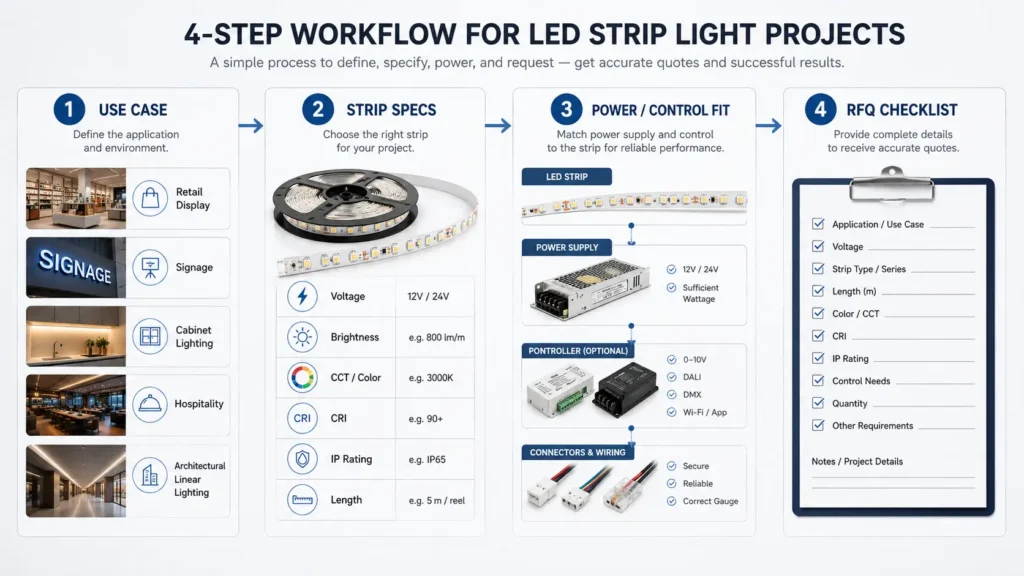
In short, the better the input, the fewer gaps there are during review. Also, a clear checklist makes it easier to compare quotes side by side.
Next, choose the strip type by the light goal. Instead of asking which strip is “best,” ask which strip fits the site, the visual effect, and the control method.
| LED Strip Type | Common Fit | Key Checks Before Buying | Risk If Mismatched |
|---|---|---|---|
| SMD LED strip | Cabinet, shelf, display, cove, sign, and general linear light | LED density, brightness, CCT, CRI, voltage, PCB width | Light dots, uneven light, or wrong color look |
| COB LED strip | Smoother line of light where dot-free look matters | Brightness, color, heat, bend path, mounting | May be more than the job needs if a diffused SMD strip is enough |
| RGB LED strip | Color effects and accent light | Controller, voltage, driver size, run length | Wrong control parts can limit the effect |
| RGBW LED strip | Color effects plus a white channel | White channel need, controller type, wiring, power | The white light may not fit the project if not checked |
| Tunable white strip | Spaces that need warm-to-cool white change | CCT range, dimmer, controller, use case | It can add control parts that the job may not need |
| Addressable LED strip | Dynamic effects, signs, and display patterns | Pixel control, data signal, controller, power plan | It needs more system planning than a simple strip |
| Protected or waterproof strip | Damp, wet, dusty, or outdoor zones | IP rating, coating, connector, mounting, heat | “Waterproof” may not match the real site condition |
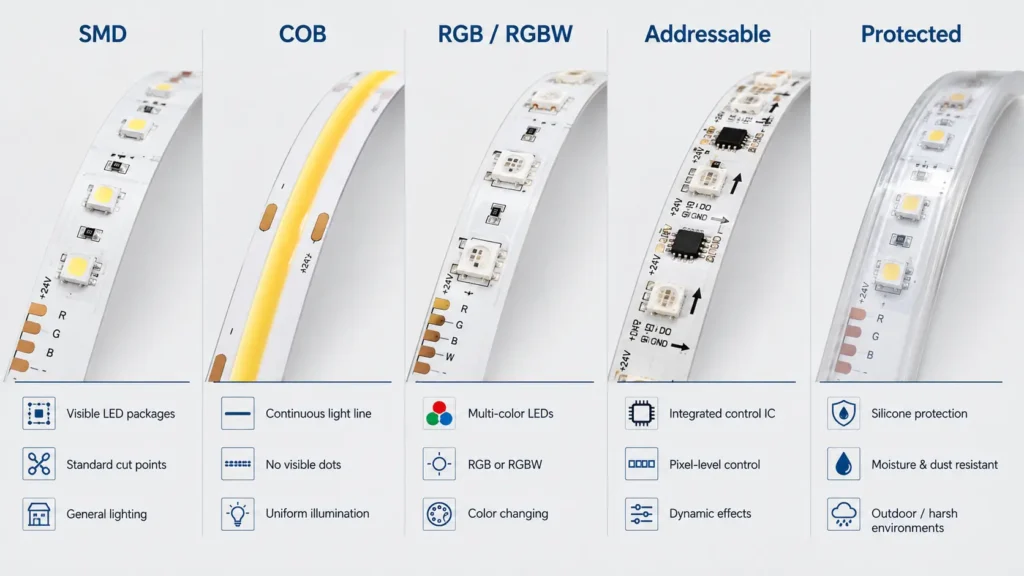
For that reason, the strip name should not be the only buying guide. Instead, connect the strip type to the site, the driver, the control parts, and the quote details.
Also, if you are comparing bulk LED tape light orders or an OEM project, add drawings, sample needs, package needs, and forecast quantity to the RFQ.
First, check voltage and total power. Voltage affects the driver and control system. Meanwhile, wattage helps you estimate the load for the power supply.
However, do not pick a strip by wattage alone. The strip also needs enough light output, the right color, a safe fit for the site, and suitable mounting.
Next, compare brightness, CCT, and CRI. For example, lumens help buyers compare light output. In addition, CCT helps describe warm, neutral, or cool light appearance.
Also, ask about CRI when the strip will light products, signs, finishes, or displays. Higher color needs should be reviewed before the order, not after the strip arrives.
Finally, check IP rating, PCB width, cut length, and control type. For instance, a strip that fits a dry shelf may not fit a damp outdoor sign. Likewise, a strip that fits a wide channel may not fit a small OEM housing.
| Spec | What It Affects | Buyer Question | Safe Way to Decide |
|---|---|---|---|
| Voltage | Driver, controller, run layout | What voltage does the project use? | Match the strip to the system and run plan. |
| Wattage | Driver size and heat planning | What is the wattage per meter and total load? | Use the total load when choosing the driver. |
| Lumens | Visible light output | How bright should the area look? | Compare light output, not just watts. |
| CCT | Warm, neutral, or cool look | What light tone fits the space? | Choose by visual goal and use case. |
| CRI | Color rendering | Do products or finishes need true color? | Ask about CRI for display or color-critical work. |
| IP rating | Dust and water protection | Is the site dry, damp, wet, dusty, or outdoor? | Match the rating to the exposure. |
| PCB width | Fit inside channels or housings | Is there enough space? | Check drawings, profiles, or samples first. |
| Control method | Dimming, RGB, RGBW, tunable white, or addressable effects | What control system will be used? | Confirm strip and controller fit before buying. |
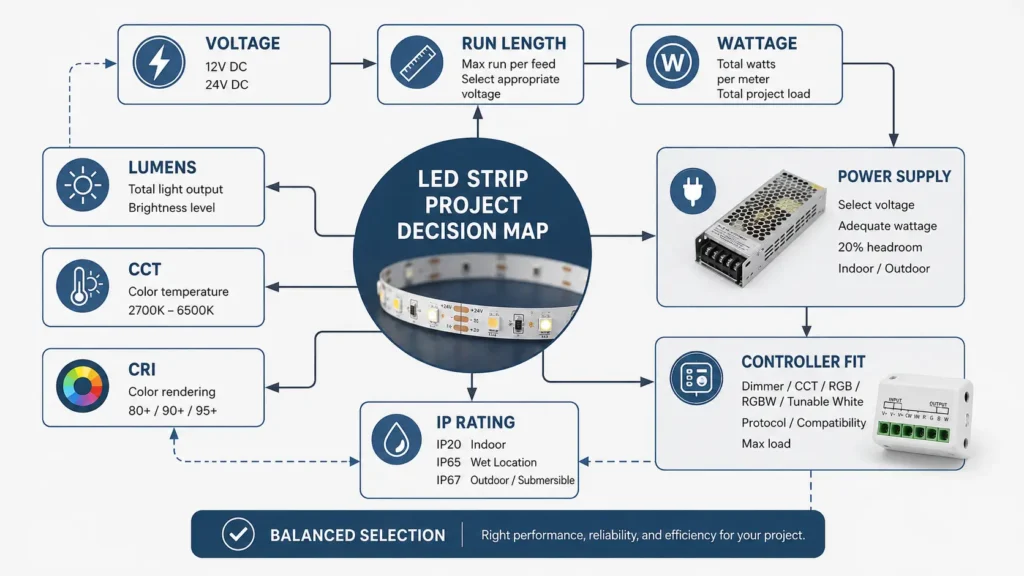
Because each site is different, match the strip to the job instead of copying another project. The table below gives a simple start for buyer and project team talks.
| Application | Light Goal | Checks Before Buying | Details to Prepare |
|---|---|---|---|
| Retail display | Make products clear and natural | Brightness, CCT, CRI, heat, profile | Display size, white tone, CRI need, mounting |
| Signage | Even and clear light | Brightness, density, IP rating, run length | Sign size, indoor/outdoor use, color, wiring plan |
| Cabinet or shelf | Clean line of light in a small space | PCB width, cut length, profile, CCT | Cabinet size, channel size, visible or hidden install |
| Cove lighting | Smooth indirect light | Density, brightness, dimming, viewing distance | Cove size, run length, dimming need |
| Hotel or shop fit-out | Stable mood and finish | CCT, dimming, color match, install finish | Area type, mood target, control method |
| Outdoor or damp area | Light with suitable protection | IP rating, connectors, mounting, exposure | Site exposure, access for service, local conditions |
| Custom or OEM product | Fit inside a product or system | Voltage, PCB width, heat, connector, cut length | Drawings, voltage, space limit, sample need, quantity |
As a result, the final choice should come from the site need, the strip data, and the full system plan. For unusual or code-sensitive projects, confirm the need with a qualified person before ordering.
Next, review the parts around the strip. Many buying problems come from a wrong driver or power supply, a mismatched controller, or a connector that does not fit the strip width or pin count.
| Check | Why It Matters |
|---|---|
| Strip voltage | The driver and controller must fit the strip voltage. |
| Total wattage | The driver should be sized from the strip load and project plan. |
| Length per run | Long runs may need more wiring and power planning. |
| Controller type | RGB, RGBW, tunable white, and addressable strips need matching controls. |
| Connector type | Width, pin count, coating, and install method can change the connector. |
| Mounting method | Adhesive alone may not suit every site or surface. |
| Heat path | Higher-output strips may need a suitable channel or profile. |
Also, do not treat a product page as final install advice. For mains wiring, permanent work, or code-sensitive jobs, consult qualified electrical support and local rules. A safety standard such as UL 8750 can give context, but it does not prove that a specific strip or order is certified.
Before ordering, review the common mistakes below. Then use them as a short risk check with your sales, engineering, or buying team.
| Mistake | Why It Creates Risk | Better Buying Approach |
|---|---|---|
| Buying by watts only | Watts do not show the full light effect. | Compare lumens, CCT, CRI, and the use case. |
| Ignoring voltage and run length | Long runs can affect the power plan. | Confirm total length, length per run, voltage, and wiring plan. |
| Trusting “waterproof” alone | The word may be too vague for the site. | Check IP rating and protection method. |
| Forgetting the power supply | The strip cannot be reviewed alone. | Estimate total load and check the driver. |
| Choosing RGB when white light matters | Color effects may not give the white look you need. | Review RGBW, tunable white, or white-strip options. |
| Ignoring CRI for displays | Products or finishes may look wrong. | Ask about CRI for color-sensitive use. |
| Sending a vague RFQ | The supplier may need more back-and-forth. | Send the use case, specs, quantity, and document needs. |
Therefore, a safer buying path is simple: define the job, collect the specs, confirm the full system, and then request a quote.
When you ask for a quote, give enough detail for the supplier to review the job. Otherwise, the reply may be too broad to compare with other quotes.
| RFQ Item | What to Send |
|---|---|
| Use case | Retail display, sign, cabinet, cove, outdoor zone, OEM product, or other use |
| Site condition | Indoor dry, damp, wet, dusty, outdoor, visible, or hidden |
| Strip type | SMD, COB, RGB, RGBW, tunable white, addressable, protected, or unsure |
| Voltage | Required voltage if known |
| Total length | Total meters and length per run |
| Color | Warm white, neutral white, cool white, RGB, RGBW, tunable white, or custom need |
| CRI need | Whether color quality matters |
| IP rating | Needed rating or the exposure condition |
| Control method | On/off, dimming, RGB control, addressable control, or system link |
| Accessories | Power supply, connector, controller, profile, diffuser, cable, or mounting parts |
| Quantity | Sample, project quantity, bulk order, or forecast quantity |
| Destination | Shipping country, region, or project site |
| Documents | Datasheet, sample, test report, certificate, package info, or other request where needed |
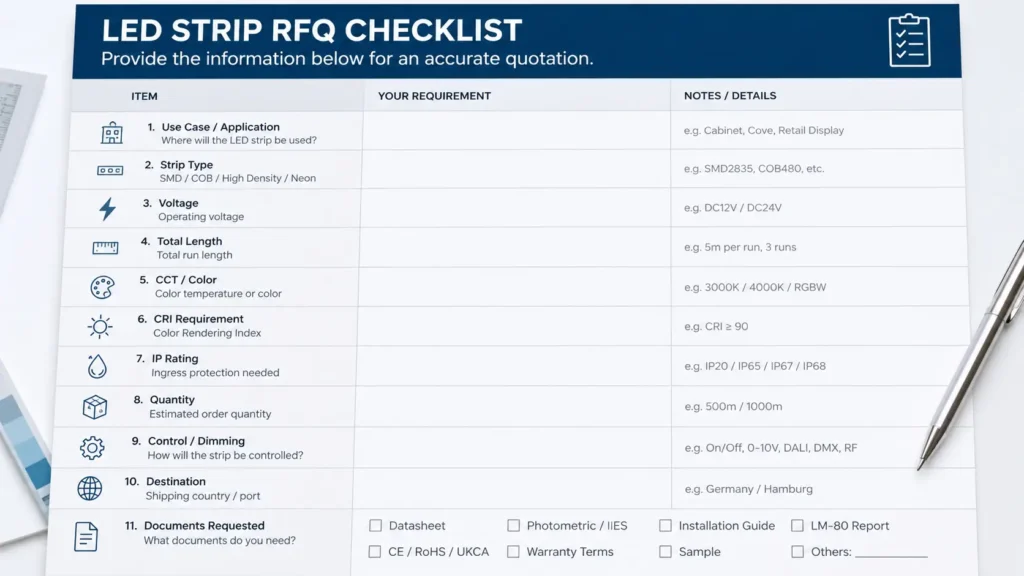
If you are not sure which strip to choose, send the site details first. Then, when available, a supplier’s technical team can review the use case and suggest a suitable direction.
Finally, ask what documents are available for the exact product and order. Do not assume every strip, supplier, or order has the same files.
In addition, keep the wording open: ask what is available rather than assuming a claim is true. This protects the buyer and keeps the quote process clear.
First, check the use case. Then compare strip type, voltage, brightness, CCT or color type, CRI need, IP rating, total length, power supply, controller, mounting method, and quantity. For a project order, also prepare RFQ details before contacting a supplier.
Choose by the job. SMD strips fit many general uses. COB strips can help when a smoother line of light is needed. RGB and RGBW strips support color effects. Addressable strips support dynamic control. Protected strips should be checked for damp, wet, dusty, or outdoor sites.
Neither is always better. Instead, choose voltage based on the system, run length, total wattage, driver, controller, and install plan. For project work, confirm the voltage before buying strips and accessories.
First, confirm the strip voltage. Next, estimate total wattage from strip power and total length. Then choose a driver that fits the project plan. For permanent or complex work, use qualified electrical guidance.
The needed IP rating depends on the site. Indoor dry areas, damp areas, wet zones, dusty spaces, and outdoor locations may need different protection. Therefore, match the rating to the real exposure and do not rely only on the word “waterproof.”
COB is not always better than SMD. It can be useful when a smooth, low-dot light line is the goal. However, SMD strips are still common for many general uses. The right choice depends on the visual goal, space, power plan, and project budget.
It depends on the work. Simple low-voltage setups may be handled differently from permanent, mains-connected, or code-sensitive jobs. Therefore, for mains wiring or permanent projects, consult qualified electrical support and follow local rules.
Send the use case, site condition, strip type if known, voltage, total length, CCT or color, CRI need, IP rating, control method, accessories, quantity, package needs, destination, and any document requests. As a result, the supplier has a clearer starting point for review.
In summary, buying LED strip lights is easier when the project details are clear. Start with the use case, then check the strip type, specs, driver, control parts, site conditions, and document needs.
Ready to prepare an RFQ? Share your application, site condition, voltage, total length, color or CCT, IP rating, control method, accessory needs, quantity, destination, and document requests.

 English
  Spanish
  French
  Arabic