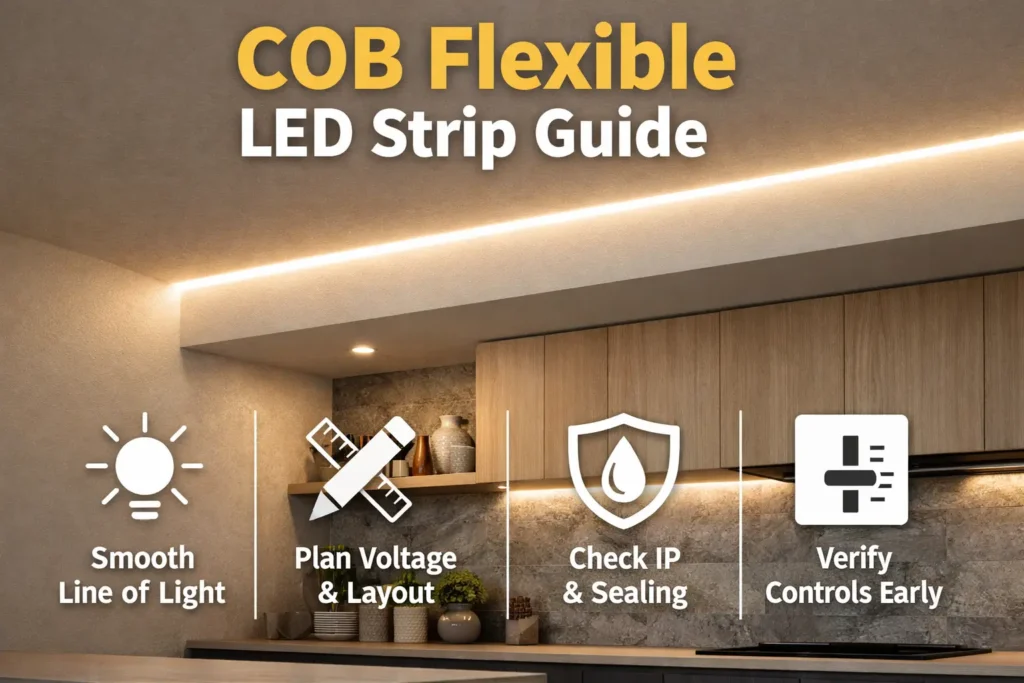
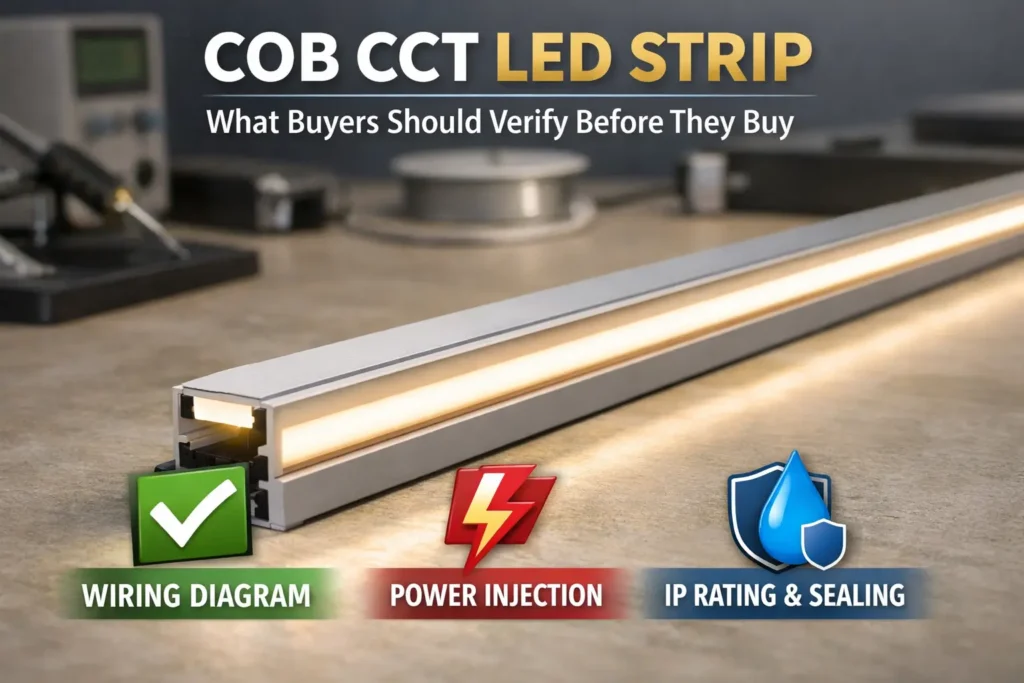
A WS2812B COB LED strip usually means a COB-style strip with addressable RGB control. In simple terms, COB gives the smooth light look, while the IC and protocol control the pixel effects.
However, product names can be loose. Therefore, buyers should verify the real IC, pixel mapping, color order, wiring direction, and controller fit before sample approval or bulk order.
First, treat “WS2812B COB” as a WS2812B-class addressable COB strip. It may work like WS2812B for common controllers, but you still need proof from the supplier and a real sample test.
Before you buy
First, confirm the real IC or tested protocol profile.
Next, confirm whether pixels are individual or grouped.
Also, confirm color order, such as RGB, GRB, or another order.
Then, request the datasheet, wiring diagram, and controller notes.
Finally, test a sample with your real controller and simple effects.
Before you power up
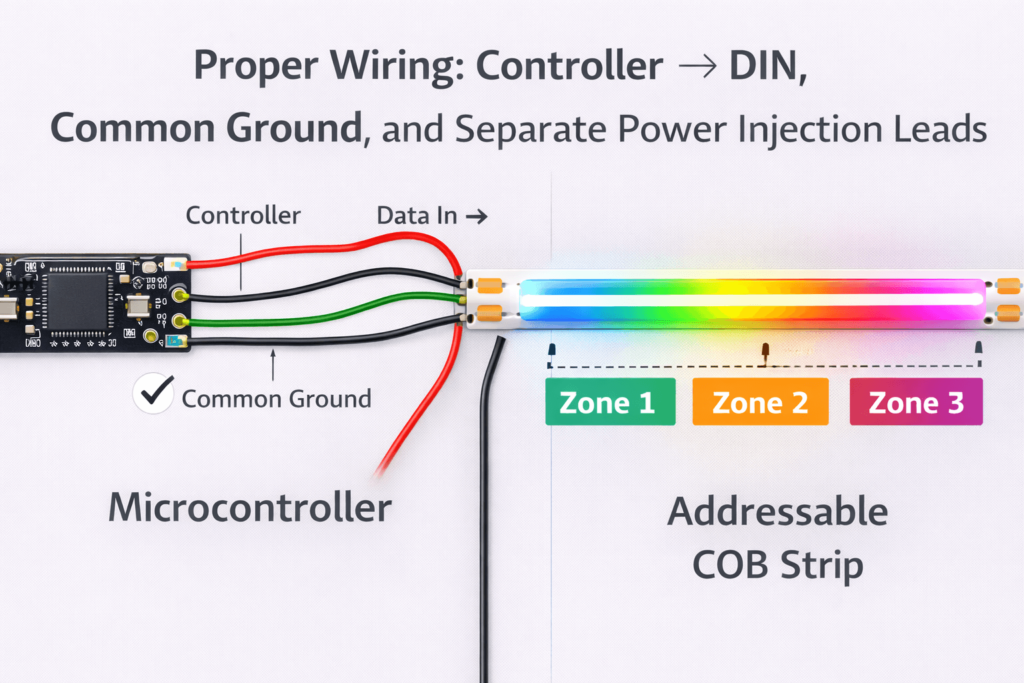
First, feed data into DIN, because data direction matters.
Next, connect controller ground and strip ground together.
Also, plan power injection for longer runs.
Finally, test bright patterns before the install is closed.
Boundary notes
However, a “WS2812B” title does not always prove the internal IC.
Also, COB changes the look, not the address rules by itself.
Therefore, confirm documents and sample behavior before scaling.
What “WS2812B COB” Actually Means (Addressable COB / RGBIC)
“WS2812B COB” usually points to an addressable COB strip. In other words, the strip uses COB for a smoother line and an IC data chain for color effects.
What COB changes
First, COB helps reduce visible LED dots.
Also, COB can make effects look smoother behind a diffuser.
However, COB does not prove pixel count or protocol by itself.
What addressable control changes
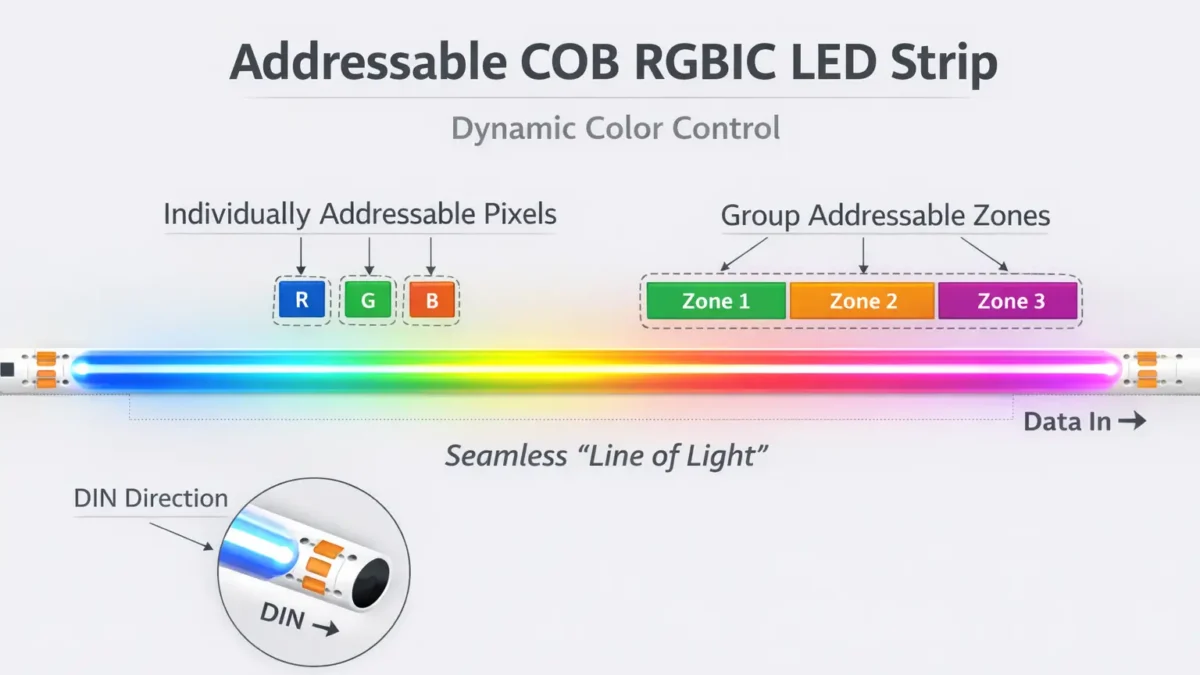
First, an IC chain controls pixels or pixel groups.
Next, data moves in one direction from DIN to DOUT.
Also, mapping can be individual or grouped, depending on the model.
Therefore, effects may look smoother or chunkier depending on pixel grouping.
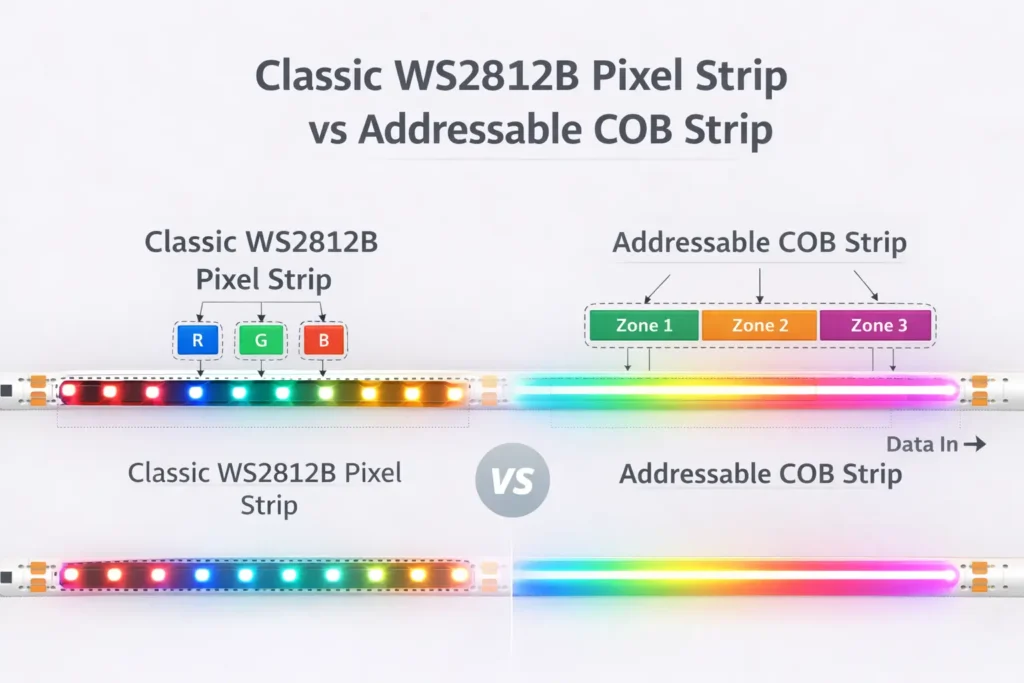
Addressable COB vs classic WS2812B strip
Topic
Addressable COB
Classic WS2812B pixel strip
Visual look
Smoother, less dotted
More visible LED points unless diffused
Addressing
Individual or grouped, so verify
Often individual, but still verify
Main risk
Loose labels and hidden grouping
Power, color order, and wiring mistakes
Best use
Dotless effects and clean lines
Sharp pixel effects and easier debug
Pixel grouping
Pixel grouping means one address controls more than one LED or a short section. As a result, chase effects move in larger steps. Therefore, ask for the true pixel count and test a slow chase pattern.
Boundary conditions: Do not assume one LED equals one pixel. Instead, confirm the exact model, mapping, and controller setup.
Chipset & Protocol: WS2812B vs WS2811 vs “WS2812B-like”
For addressable COB products, labels such as WS2812B, WS2811, and “compatible” often describe a timing family. However, they may not prove the actual internal IC. Therefore, confirm the protocol profile and mapping in writing.
First, ask for the IC or tested WS2812B-class profile.
Next, ask for pixel grouping and true pixel count.
Also, ask for color order and reference controller setting.
Then, ask for a wiring diagram with DIN, DOUT, power, and ground.
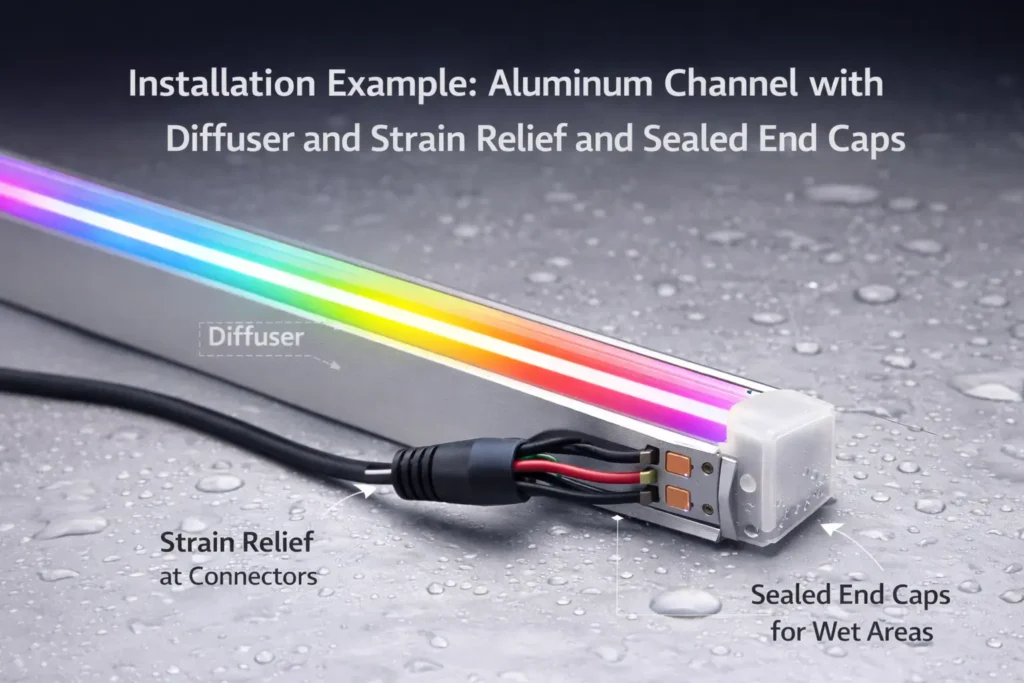
Finally, ask for IP or install notes if the project needs them.
Sample tests
First, verify colors and direction on a short piece near the controller.
Next, run a slow chase to reveal grouping.
Then, run a bright pattern to check resets or flicker.
Finally, cut and re-join once if your project will require field cuts.
Boundary conditions: Controller tolerance varies. As a result, “compatible” is only proven after a real test.
Power Planning for 5V Addressable COB: Injection Method + Commissioning Checks
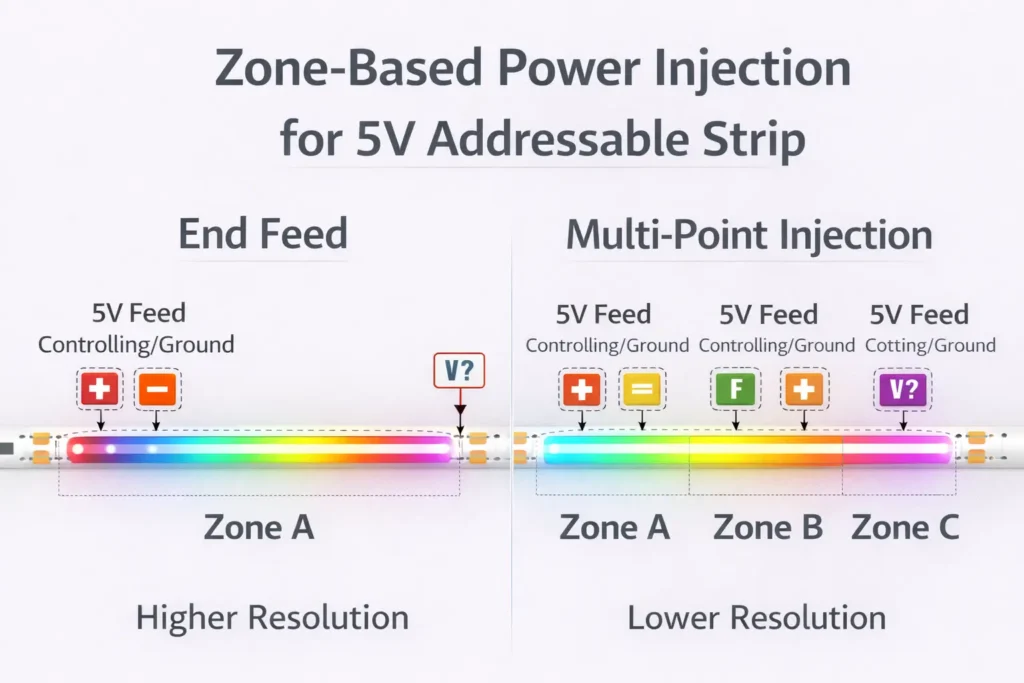
Most 5V addressable strips need careful power planning. Because voltage drop grows with current and distance, the far end can dim, shift color, or reset during bright effects.
For B2B programs, the goal is simple: avoid a strip that works in a demo but fails in production or on site. Therefore, standardize the RFQ and require documents plus sample tests.
RFQ checklist
RFQ item
Why it matters
What to request
Voltage and power approach
Sets PSU and injection needs
Datasheet and wiring guidance
IC or protocol
Sets controller fit
Written profile confirmation
Pixel mapping
Sets effect resolution
Mapping details and sample test
Color order
Prevents wrong colors
Reference setup
DIN/DOUT and pads
Prevents wiring errors
Wiring diagram
Environment/IP
Prevents sealing failures
IP scope and install notes
Connectors and labels
Reduces field errors
Connector spec and label plan
Documentation pack
First, request the model-specific datasheet.
Next, request the wiring diagram with DIN, DOUT, power, and ground pads.
Also, request controller notes with tested profile, color order, and mapping.
Then, request install notes for mounting, bend limits, and IP boundaries.
Finally, request certification scope by model if the project needs it.
Sample validation flow
First, test colors, direction, and mapping with the controller.
Next, stress test power injection with a bright pattern.
Then, cut and re-join once if the project needs field cuts.
Finally, check several samples for basic consistency before bulk order.
Boundary conditions: If numeric values matter, request datasheet-backed data for the exact SKU.
FAQ
Are WS2812B COB LED strips truly individually addressable?
Answer: Some are individual and some are grouped. Therefore, confirm mapping in the datasheet and run a sample pattern that shows grouping clearly.
What is the difference between WS2812B, WS2811, and WS2812B-like strips?
Answer: Often, the label points to a timing profile, not always the exact internal IC. Therefore, confirm profile, color order, and mapping in writing before bulk order.
How do I confirm the real IC or protocol?
Answer: Ask for IC or profile confirmation, a DIN/DOUT wiring diagram, and mapping notes. Then, test colors, direction, and bright-pattern stability on a sample.
What is power injection?
Answer: Power injection feeds power closer to the load. As a result, it reduces voltage drop and helps pixels stay stable during bright effects.
Where should I inject power?
Answer: Plan injection by zones and layout, not by one fixed distance. Also, confirm the result under the brightest pattern you expect to use.
Why is common ground required?
Answer: The data signal needs a shared reference between the controller and strip. Therefore, connect controller ground and strip ground together.
Can I cut and re-join addressable COB strips?
Answer: Yes, if you cut at marked points and keep power, ground, and data direction correct. After that, test the joint before final mounting.
Summary & Next Steps
Finally, treat “WS2812B COB” as addressable COB that needs proof. COB is the smooth visual style, while IC profile, mapping, wiring, and controller settings define behavior.
Key takeaways
First, confirm IC profile, color order, pixel mapping, and data direction.
Next, validate the strip with your real controller and test patterns.
Also, plan power injection by zones and bright-pattern load.
Then, use a power-vs-data troubleshooting flow during commissioning.
Finally, standardize the RFQ, documents, and sample tests for B2B programs.
Next steps by use case
For OEM products, lock profile, mapping, connectors, and labels.
For project installs, build a wiring and injection diagram from the layout.
For distribution, include a short “what to verify” checklist to reduce returns.
If you need a supplier-ready datasheet request list, wiring diagram template, or sample plan, share your voltage, run layout, site type, and controller stack. You can also start at ElstarLED.



 English
  Spanish
  French
  Arabic