Choosing between COB and SMD LED strip is not only about the LED type. Instead, it depends on the site, profile, and view distance.
For example, a strip can look clean inside a deep cove but show dots in a shallow aluminum profile. Also, a strip that works behind a diffuser may look different on a glossy wall, mirror edge, or retail shelf. Before you choose, compare the strip type, setup position, diffuser, view distance, control method, and sample result.
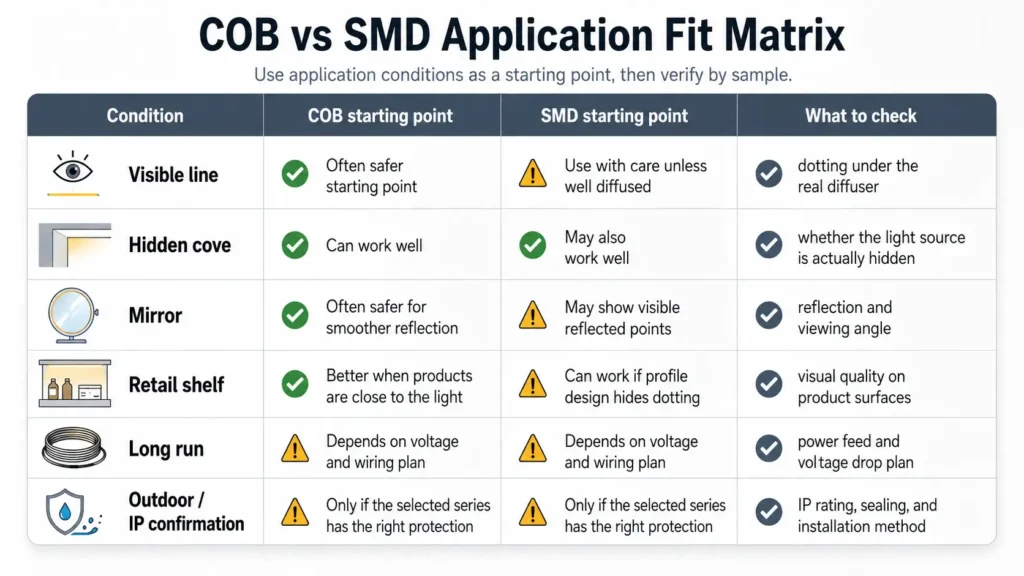
COB LED strip is often the better first choice when the light line is visible, close to the viewer, shallow in a profile, or reflected on glossy surfaces. However, SMD LED strip may still fit when the strip is hidden, viewed from farther away, or used with enough diffusion. Therefore, the safer choice depends on the real profile, diffuser, surface, run length, and sample test.
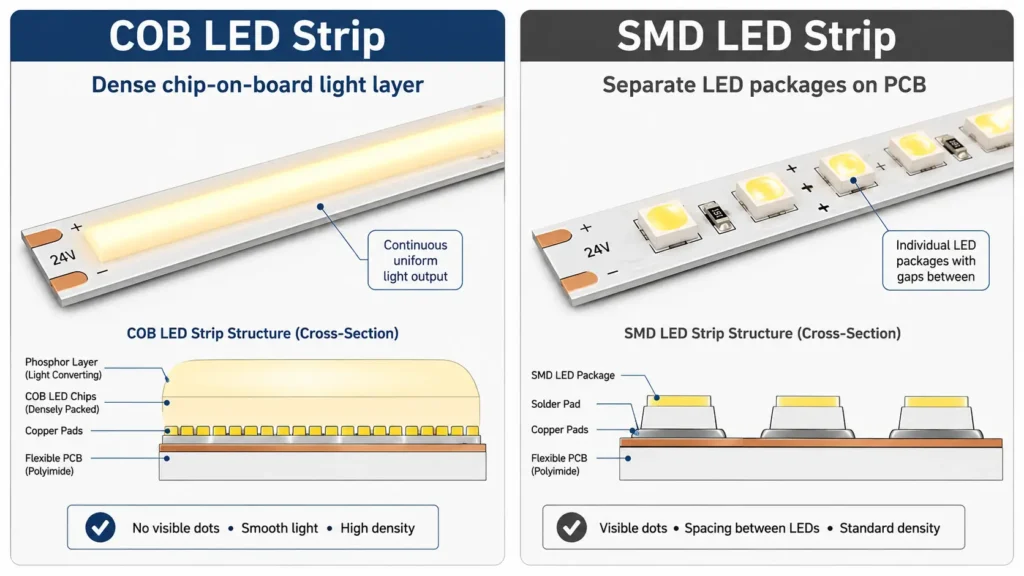
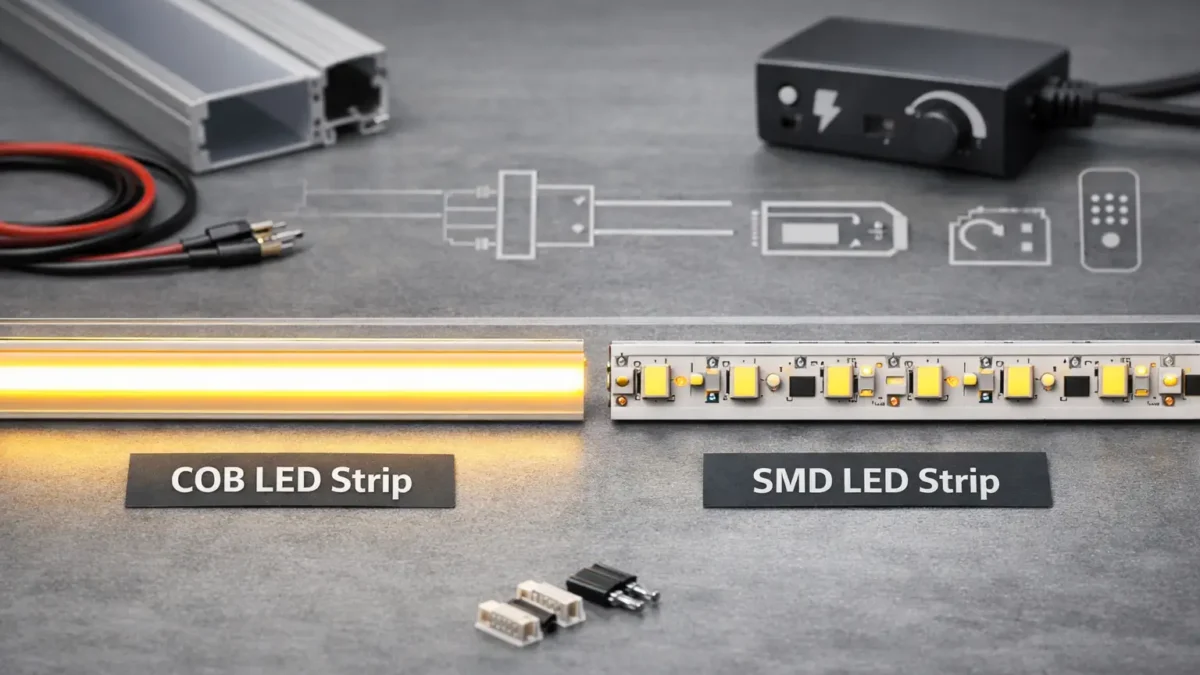
First, COB stands for chip-on-board. In a COB LED strip, many LED chips sit close together on the board, so the light area can look smoother.
By contrast, SMD stands for surface-mounted device. In an SMD LED strip, separate LED packages sit on the printed circuit board at set gaps.
Therefore, buyers should not judge the LED package alone. Instead, they should check how the strip works inside the full setup.
| Factor | COB LED Strip | SMD LED Strip | What to Verify |
|---|---|---|---|
| LED layout | Many chips mounted closely on the board | Individual LED packages mounted on the PCB | Actual strip series and datasheet |
| Visual effect | Often looks smoother | May show LED points depending on gap and diffuser | Real profile, diffuser, and view distance |
| Best starting point | Visible light lines and close-view areas | Hidden, indirect, or well diffused areas | Mockup or sample test |
| Selection risk | Do not assume every COB strip is identical | Do not assume every SMD strip will show dots | Compare the chosen series, not only the label |
First, most buyers compare COB and SMD LED strips because they want to control visible dots.
In many cases, COB LED strips look smoother because the chips sit close together. Also, this can help when the strip is directly visible or close to a shiny surface.
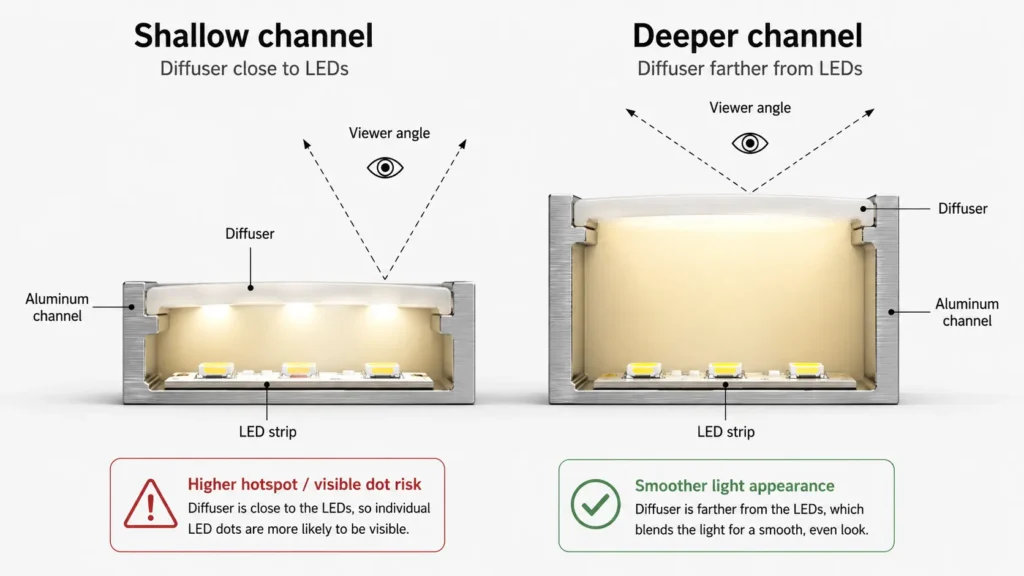
By contrast, SMD LED strips use separate LED packages. As a result, dots may be easier to see if the profile is shallow, the diffuser is thin, or the viewer is close to the light line. However, SMD can still work well when the strip is hidden inside a cove, placed farther from the viewer, or used with enough diffuser depth.
Also, the final look depends on the gap between the LED and diffuser, view distance, view angle, surface shine, diffuser type, profile depth, dim level, LED count, strip design, and build quality.
Therefore, do not choose by strip type alone. Instead, test a sample in the real profile before you judge the final light line.
Also, COB vs SMD is only one part of the spec. A project can still fail if the strip type is right but the power, driver, controller, heat path, or setup plan is wrong.
Also, thermal design matters for LED output and useful life. Therefore, strip type alone cannot promise the final result. The chosen strip, mount profile, power level, air around the strip, and setup method all need to work together.
However, some comparison claims sound useful but can be risky if they are not tied to an exact strip series or datasheet.
| Claim | Safer Way to Handle It | Proof to Ask For |
|---|---|---|
| “COB is brighter than SMD” | Brightness depends on the chosen strip series and spec | Datasheet or measured output |
| “COB is more efficient” | Efficiency depends on chip, circuit, power, and product design | Datasheet or test data |
| “COB lasts longer” | Useful life depends on thermal design, parts, and use conditions | Product data and test basis |
| “SMD is cheaper” | Cost depends on spec, quantity, supplier, and project needs | Quote under the same needs |
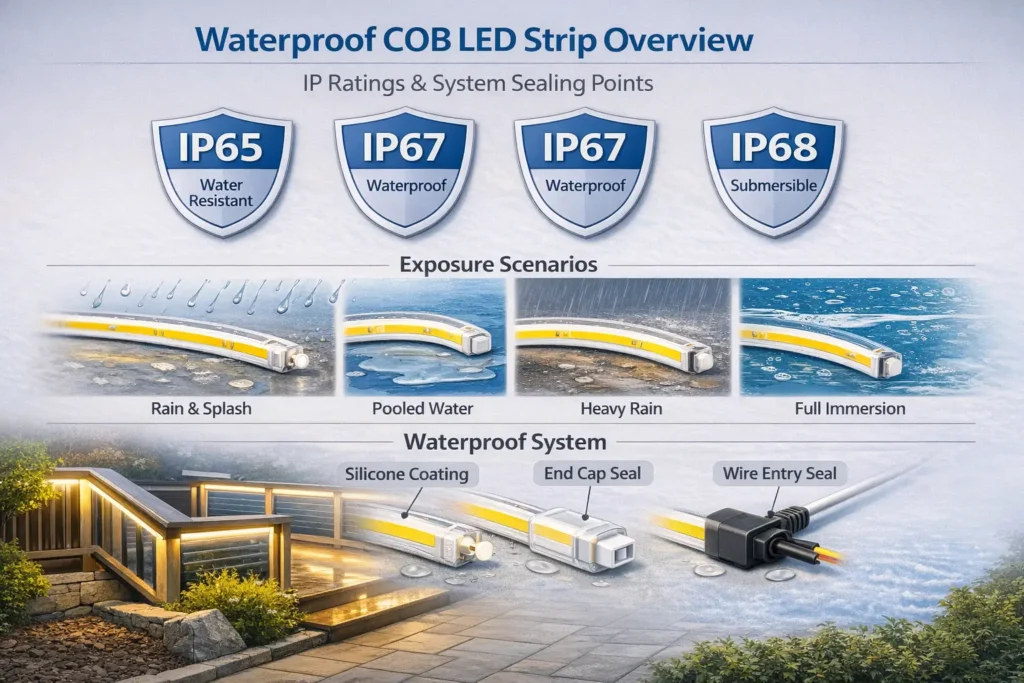
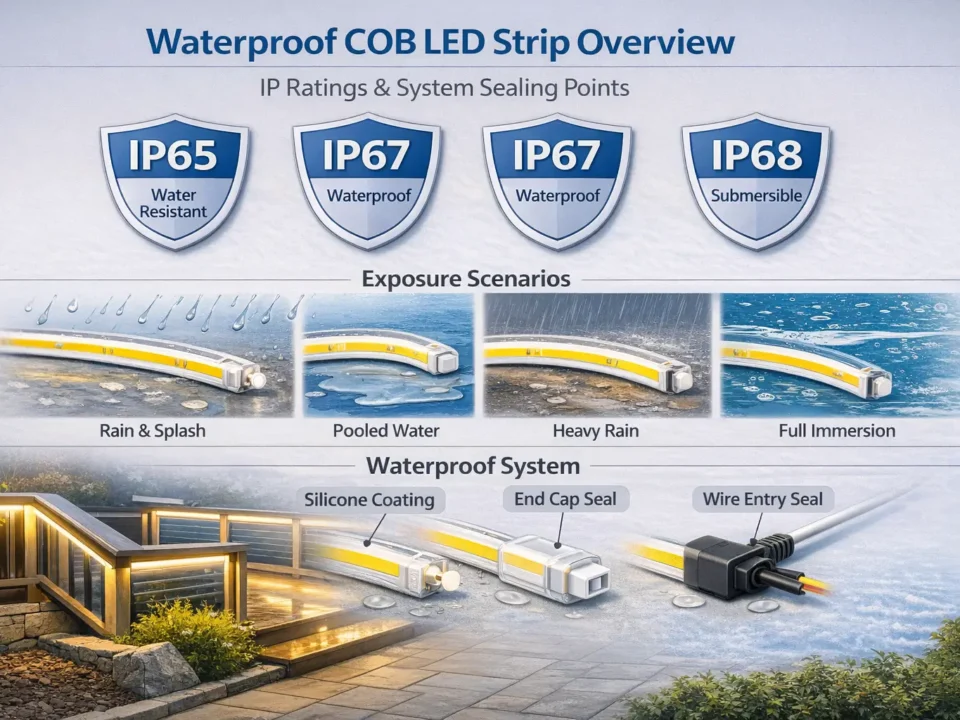
| “This strip is waterproof” | Water resistance depends on IP rating, sealing, and setup method | Product IP rating and setup guide |
| “This product is certified” | Certificates must match the exact model and scope | Certificate and model coverage |
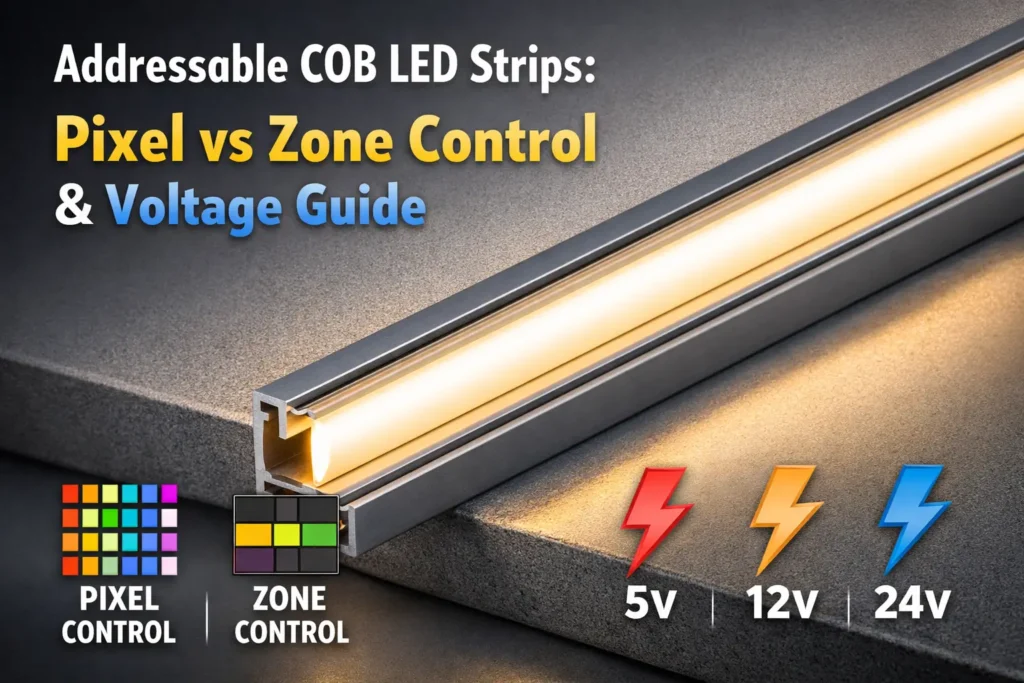
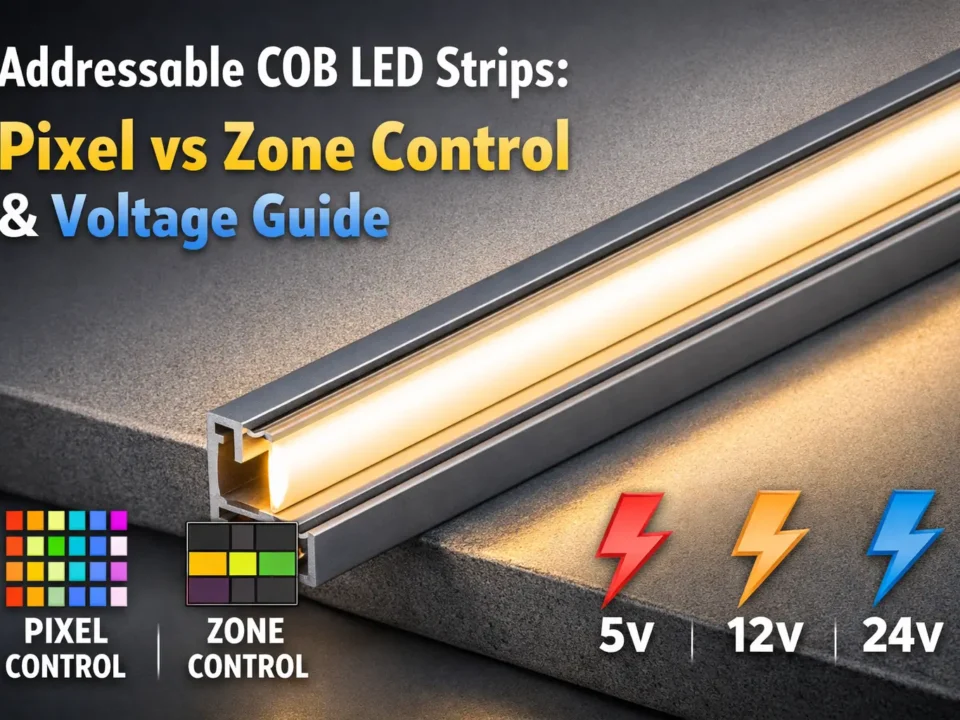
| “This strip works with any controller” | Compatibility depends on voltage, strip type, control signal, and driver | Driver/controller fit check |
| “This product is suitable for all projects” | No strip type fits all uses | Use review and sample test |
Therefore, compare the exact strip series, not only the COB or SMD label.
Also, COB vs SMD is only one part of the spec. A project can still fail if the strip type is right but the power, driver, controller, heat path, or setup plan is wrong.
Also, thermal design matters for LED output and useful life. Therefore, strip type alone cannot promise the final result. The chosen strip, mount profile, power level, air around the strip, and setup method all need to work together.
However, some comparison claims sound useful but can be risky if they are not tied to an exact strip series or datasheet.
| Claim | Safer Way to Handle It | Proof to Ask For |
|---|---|---|
| “COB is brighter than SMD” | Brightness depends on the chosen strip series and spec | Datasheet or measured output |
| “COB is more efficient” | Efficiency depends on chip, circuit, power, and product design | Datasheet or test data |
| “COB lasts longer” | Useful life depends on thermal design, parts, and use conditions | Product data and test basis |
| “SMD is cheaper” | Cost depends on spec, quantity, supplier, and project needs | Quote under the same needs |
| “This strip is waterproof” | Water resistance depends on IP rating, sealing, and setup method | Product IP rating and setup guide |
| “This product is certified” | Certificates must match the exact model and scope | Certificate and model coverage |
| “This strip works with any controller” | Compatibility depends on voltage, strip type, control signal, and driver | Driver/controller fit check |
| “This product is suitable for all projects” | No strip type fits all uses | Use review and sample test |
Therefore, compare the exact strip series, not only the COB or SMD label.
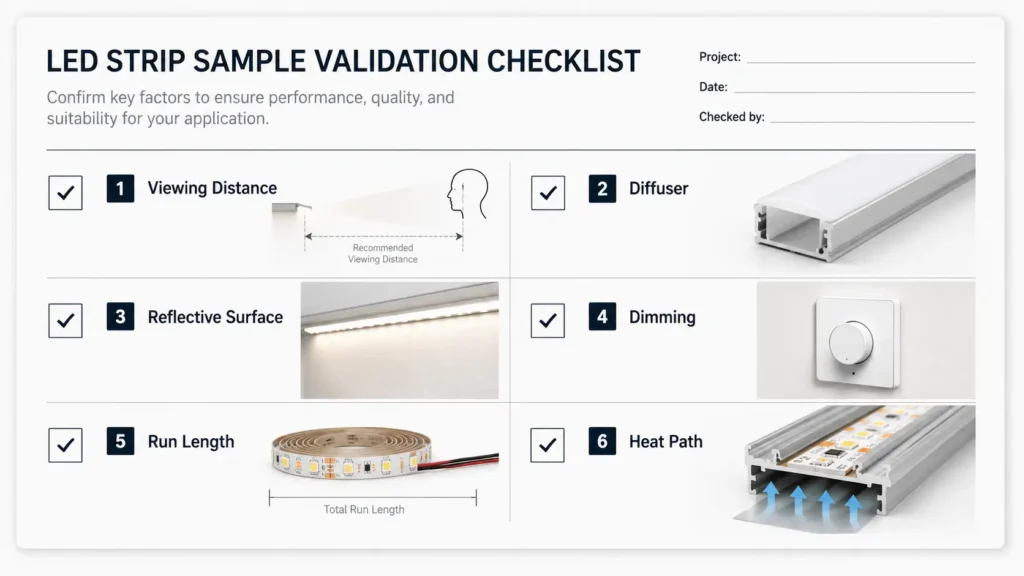
Before a large order, run a small sample test. Also, use the same profile, diffuser, view distance, surface, dim level, driver or controller, run length, mount direction, site, and corner plan.
| Test Item | What to Look For |
|---|---|
| Visible dots | Are individual points visible from the normal viewing angle? |
| Reflection | Do glossy surfaces show LED points or glare? |
| Diffuser effect | Does the diffuser produce the target light line? |
| Dimming behavior | Does the strip dim smoothly with the selected control method? |
| Color appearance | Does the color look right at the final site? |
| Heat path | Does the mount help move heat away? |
| Joining/corners | Are connectors, solder points, or bends suitable for the layout? |
| Service access | Can the strip be set up and serviced safely? |
Still, a sample does not promise every project result. However, it gives buyers and engineers a better basis than product labels alone.
Also, a clear RFQ helps the supplier or tech team suggest a better strip direction.
| RFQ Item | What to Send |
|---|---|
| Use case | Cove, shelf, mirror, signage, retail display, cabinet, architectural line, or other use |
| Mounting view | Direct visible line, hidden indirect light, or diffused profile |
| Site | Indoor, damp, wet, dusty, or other site |
| Strip type | COB, SMD, or open to recommendation |
| Tensión | Needed voltage if already set |
| Color need | CCT, RGB, RGBW, tunable white, or other color need |
| Run length | Length per run and total project length |
| Profile/diffuser | Profile depth, diffuser type, or drawing if available |
| Control method | On/off, dimming, PWM, DMX, SPI, app control, or other system requirement |
| Quantity target | Sample quantity and planned project quantity |
| Docs needed | Datasheet, setup guide, or compliance document if needed |
| Drawing or photo | Layout drawing, site photo, or setup sketch |
However, avoid assuming lead time, MOQ, warranty, price, certificates, or output before the supplier confirms the exact strip series and order terms.
Neither is always better. However, COB is often a better first choice for visible, close-view, shallow-profile, or shiny-surface setups. Also, SMD may still fit when the strip is hidden, viewed from farther away, or used with enough diffusion. Therefore, the best choice depends on the project case and sample result.
COB may help if the strip or reflection is visible from normal view angles. However, for deep or fully hidden coves, SMD may also work well if the diffuser and distance reduce visible dots. Therefore, test the strip in the real cove case before you decide.
COB LED strip uses many chips placed close together, so the light area can look smoother. By contrast, SMD LED strip uses separate LED packages. As a result, single points may be easier to see when the strip is close to the diffuser or viewer.
SMD LED strip may still be a practical choice for hidden cove lighting, deeper profiles, uses with enough diffusion, or projects that need specific strip options. Still, the final choice should be based on the chosen series, setup design, and sample test.
Cost depends on the product series, spec, quantity, supplier, and project needs. Therefore, compare quotes for the same voltage, color, power class, protection level, run length, and control need instead of assuming one type is always cheaper.
Do not assume that from the strip type alone. Instead, brightness and efficiency depend on the exact strip design, LED parts, power, thermal design, and test data. So, use the datasheet or measured sample result for comparison.
Cut length, soldering, connectors, and corner handling depend on the exact strip series. Therefore, check the datasheet or setup guide before you design the layout, especially for corners, long runs, and custom lengths.
Test the strip in the real profile, with the planned diffuser, view distance, surface, dim method, run length, and mount case. Also, check visible dots, reflections, glare, color look, dimming behavior, and heat path.
Before you ask for a quote, prepare your use details.
Also, share the setup type, visible or hidden mount position, strip length, voltage, color need, profile and diffuser details, control method, site, sample needs, and planned quantity.
Then, review COB LED strip options, compare broader LED strip light categories, or send project details through the customization page o contact page. ElstarLED can discuss a good COB or SMD strip direction and point out which details still need a datasheet, sample, or document check.
 English
  Spanish
  French
  Arabic