Analog vs digital LED strips is mainly a choice between simple whole-strip control and advanced pixel control. Analog strips are easier to wire and better for simple ambient light. Digital strips are better when you need animations, moving effects, or each LED to act on its own.
Therefore, the right choice depends on the effect you want, the budget, the wiring skill needed, and the controller you plan to use. If you want one color across the whole strip, analog is often enough. However, if you want waves, chases, or many colors at once, digital is the better option.
Understanding Analog and Digital LED Strips
Before choosing a strip, first decide how much control the project needs. Some projects only need a soft, steady glow. Other projects need many colors, scenes, and motion effects.
What is an analog LED strip?
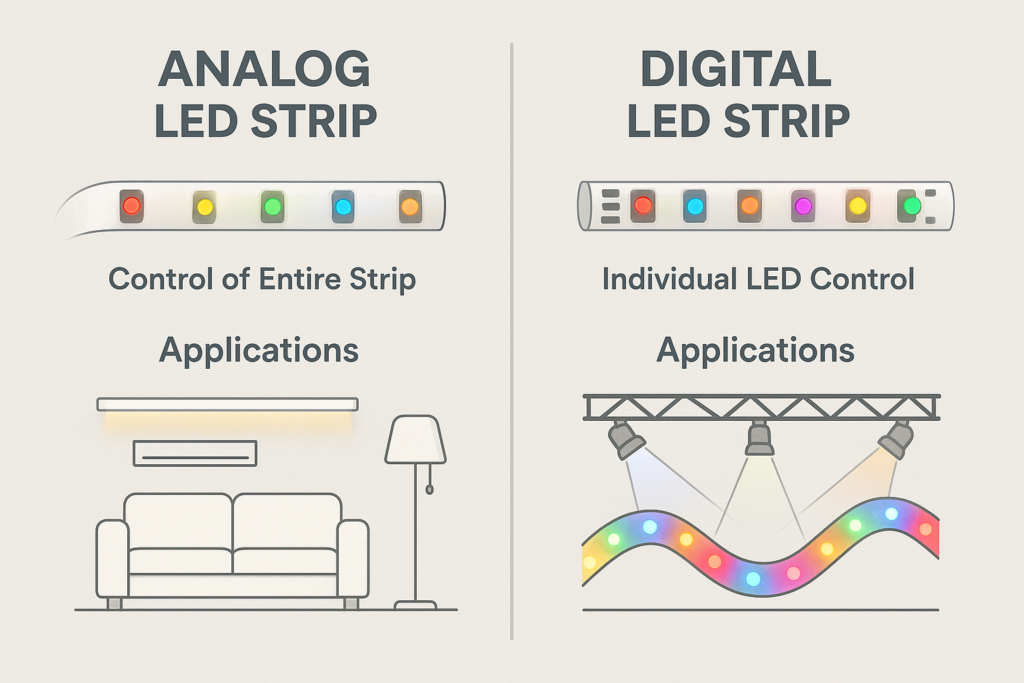
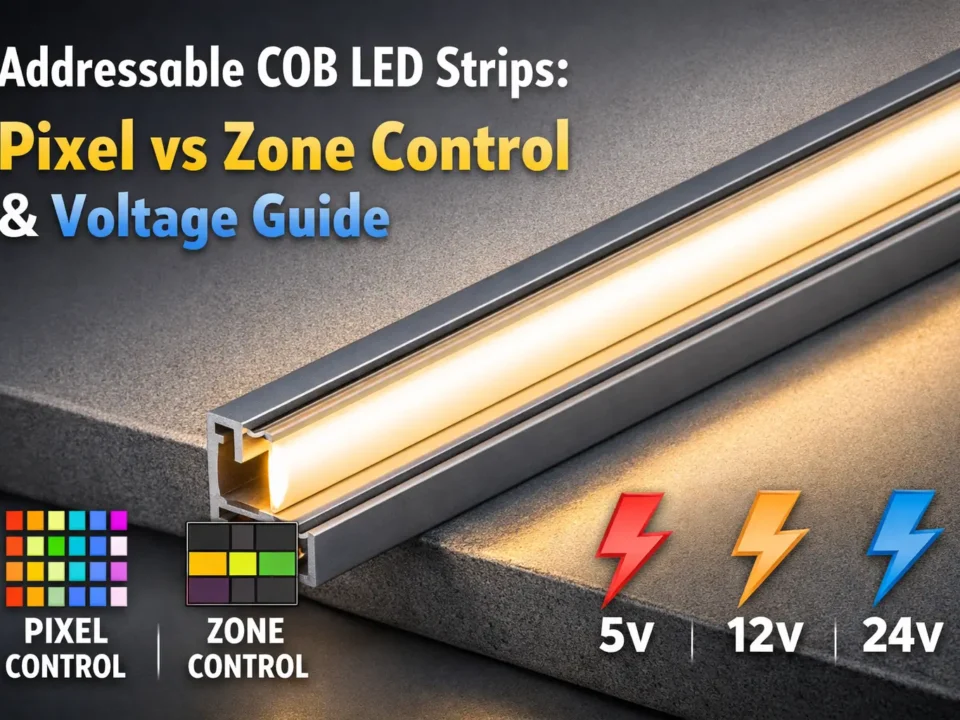
An analog LED strip is also called a non-addressable strip. The whole strip changes color and brightness at the same time. As a result, it is simple to install and easy to control.
What is a digital LED strip?
A digital LED strip is also called an addressable strip. Each LED, or each small group of LEDs, can be controlled separately. Because of this, it can show moving patterns, color waves, and detailed effects.
Quick answer
Use analog strips for simple and steady lighting. Use digital strips for effects, shows, signs, gaming rooms, and creative projects.
Technical Differences Between Analog and Digital LED Strips
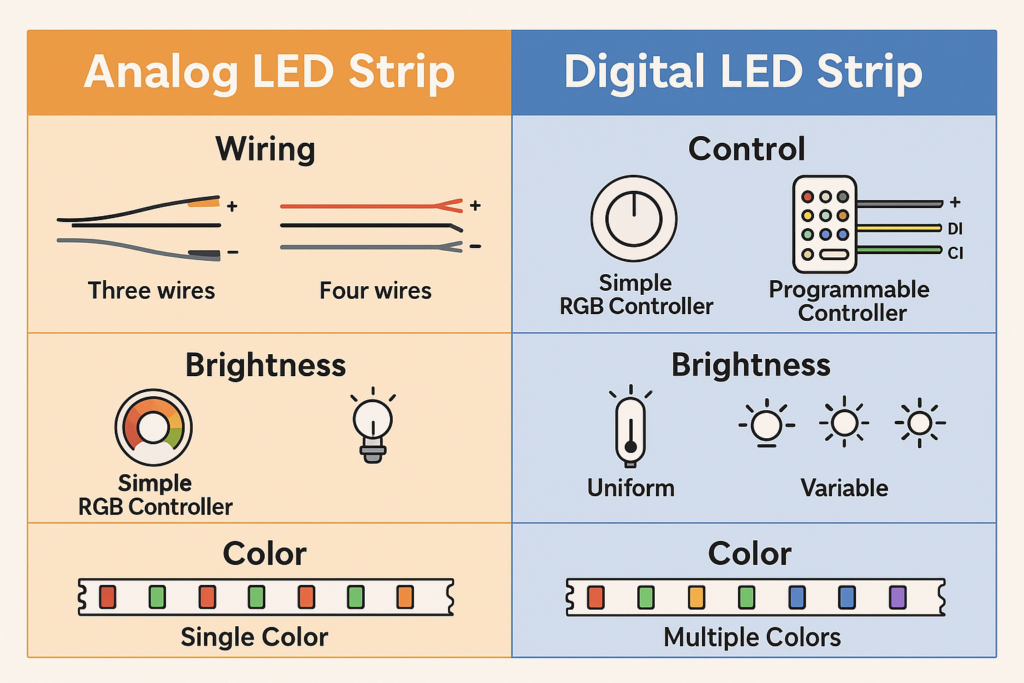
The main differences are control style, wiring, effects, cost, and setup effort. In short, analog strips are simpler, while digital strips give more control.
Lighting control
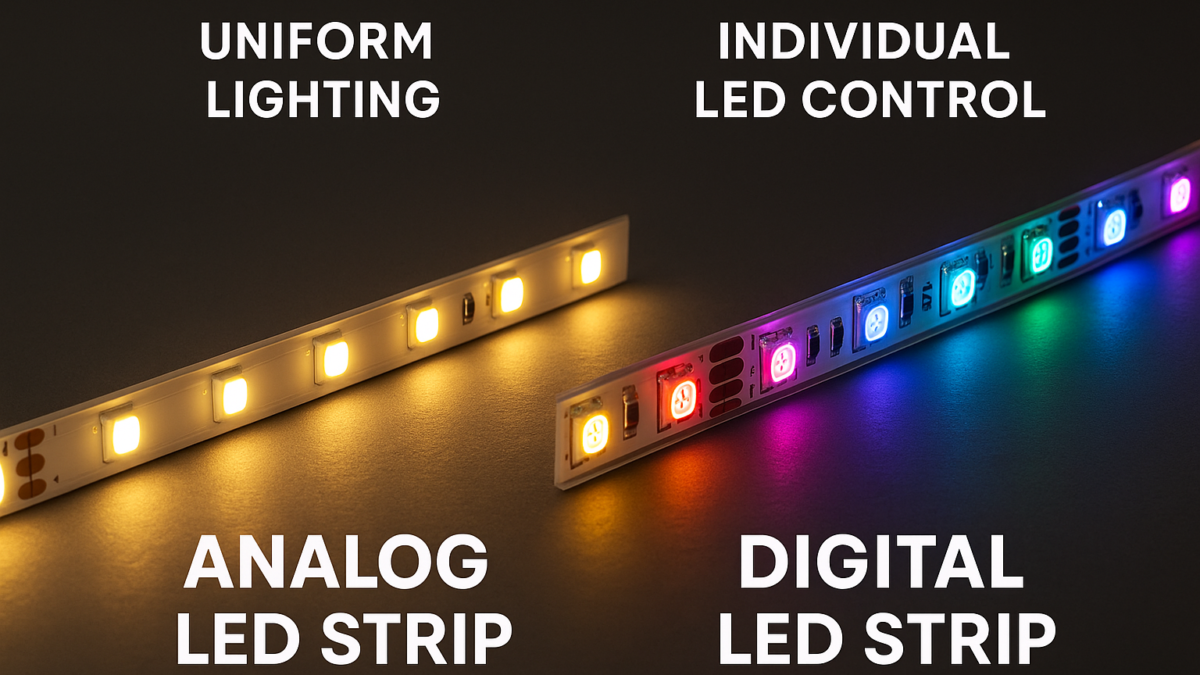
Analog LED strips: the full strip changes color and brightness together.
Digital LED strips: each LED or zone can show a different color or brightness.
Brightness and color
Analog strips: give stable and even color across the whole run.
Digital strips: can show many colors at once and create moving effects.
Wiring and setup
Analog strips: usually need simple power wires and a basic controller.
Digital strips: need power plus a data line, a matching controller, and more testing.
Simple example
For example, an analog RGB strip can make the whole room blue. Meanwhile, a digital RGB strip can make a blue wave move across the room.
Advantages and Disadvantages of Analog LED Strips
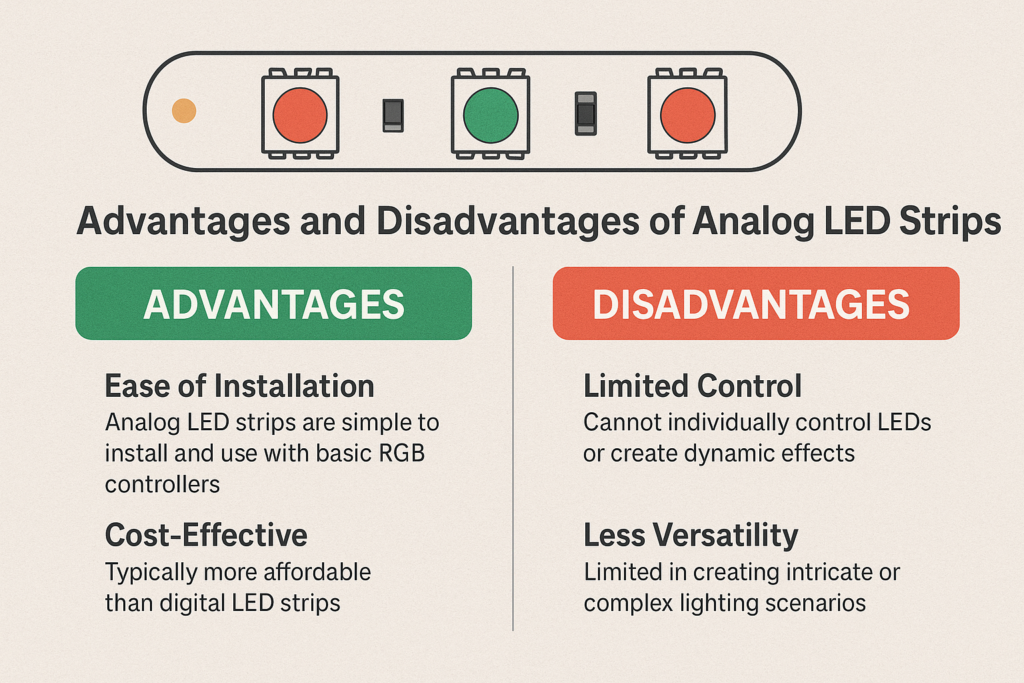
Analog strips are best when you want a simple and low-cost setup. They are also a good choice when the lighting effect does not need to move or change by LED.
Advantages of analog LED strips
Easy setup: wiring is simple, so they work well for DIY projects.
Lower cost: analog strips often cost less than digital strips.
Stable light: the whole strip gives a steady and even color.
Good for basic use: they fit shelves, coves, bedrooms, and simple accent lines.
Disadvantages of analog LED strips
Limited control: you cannot control each LED on its own.
No pixel effects: waves, chases, and complex patterns are not possible.
Less creative range: the whole strip must show the same color at the same time.
Best fit summary
Analog LED strips are ideal for simple, steady, and budget-friendly lighting. Therefore, choose analog when you want clean color without complex effects.
Advantages and Disadvantages of Digital LED Strips
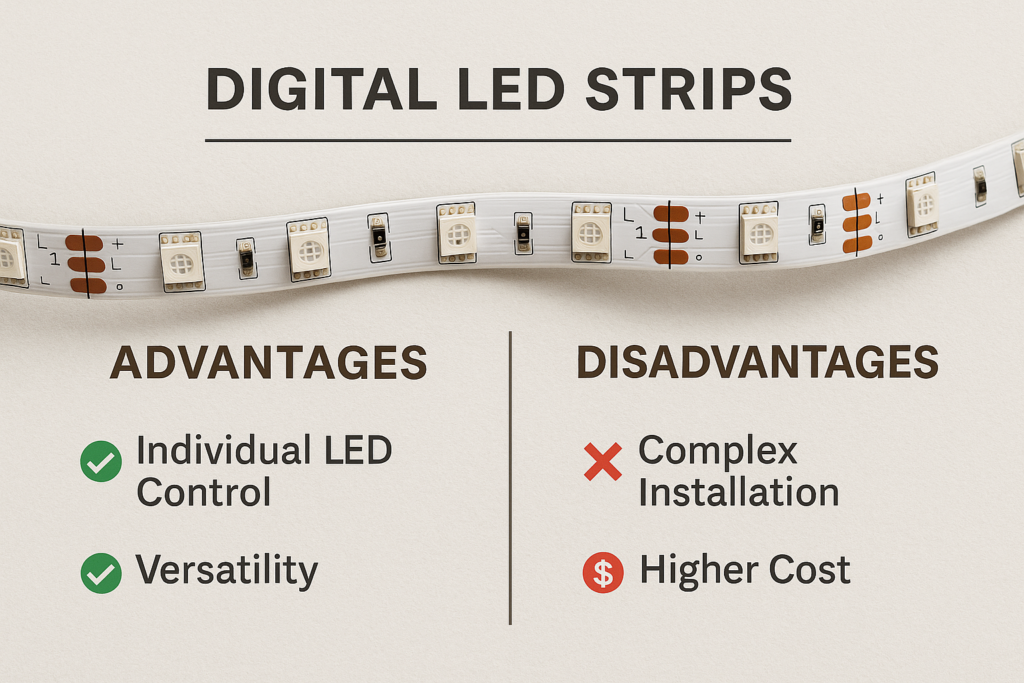
Digital LED strips are better when the lighting itself is part of the show. However, they need more setup work than analog strips.
Advantages of digital LED strips
LED-by-LED control: each LED or zone can show a different color.
Dynamic effects: digital strips can create waves, chases, gradients, and patterns.
Creative range: they work well for events, gaming rooms, signs, and stage effects.
More detail: they allow complex lighting scenes that analog strips cannot show.
Disadvantages of digital LED strips
Higher cost: digital strips and controllers often cost more.
More wiring: they need a data line and careful controller setup.
Power planning: long runs may need power injection.
More testing: data direction, voltage, and software settings must be checked.
Best fit summary
Digital LED strips are worth it when the project needs motion, many colors, or pixel control. However, for a simple steady glow, analog may be easier and cheaper.
Best Applications for Analog and Digital LED Strips
Use the lighting goal first. Then, choose the strip type that fits the effect and install plan.
Ideal uses for analog LED strips
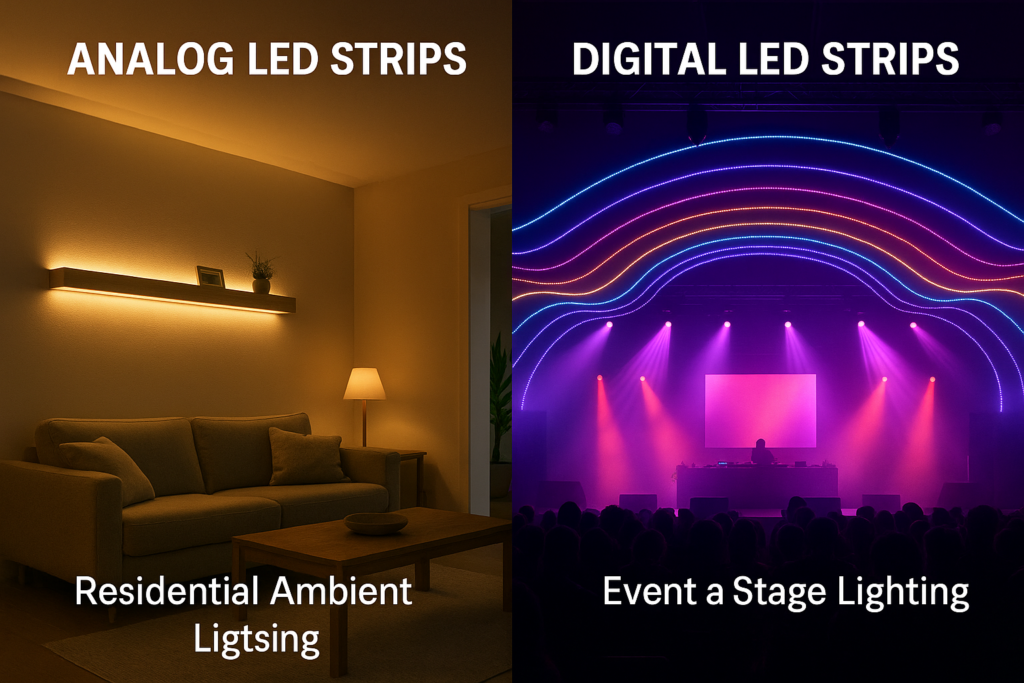
Home ambient light: good for bedrooms, living rooms, and simple coves.
Decorative light: useful for shelves, furniture, and accent lines.
Budget installs: a good choice when cost and ease matter most.
Single-color scenes: useful when one color across the whole strip is enough.
Ideal uses for digital LED strips
Events and stages: good for moving patterns and show effects.
Gaming and media rooms: useful for color waves and scene changes.
Bars and clubs: strong choice for dynamic wall and ceiling effects.
Creative signs: useful when the strip needs many zones or colors.
Home example
For a calm bedroom glow, analog often works well. Meanwhile, for a gaming setup with moving effects, digital is usually the better choice.
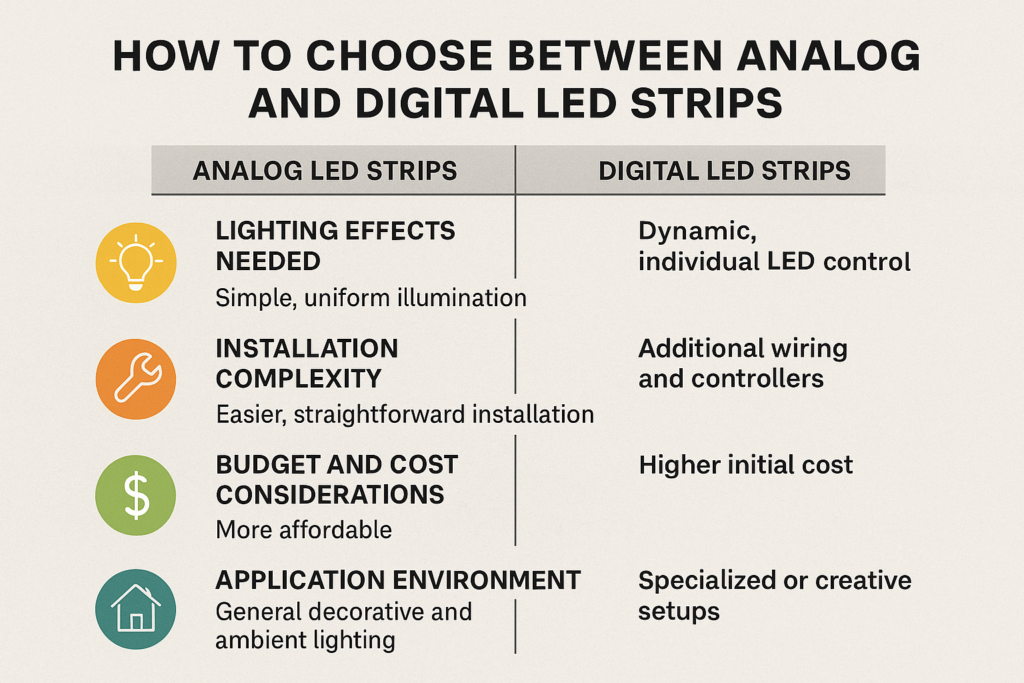
How to Choose Between Analog and Digital LED Strips
To choose well, compare the effect, cost, wiring skill, controller type, and project space. Also, think about whether the light must move or stay steady.
Key decision factors
Lighting effect: choose analog for simple color, and digital for moving effects.
Setup skill: choose analog for easier wiring and digital for advanced control.
Budget: analog often costs less, while digital adds controller and setup cost.
Project type: analog suits ambient light; digital suits creative and show lighting.
Common mistakes
Do not choose analog if the project needs pixel effects.
Also, do not choose digital if the project only needs one steady color and low cost.
Finally, do not ignore data direction, voltage, power injection, or controller fit.
Practical rule
If you need one color at a time, choose analog. However, if you need many colors at once or moving effects, choose digital.
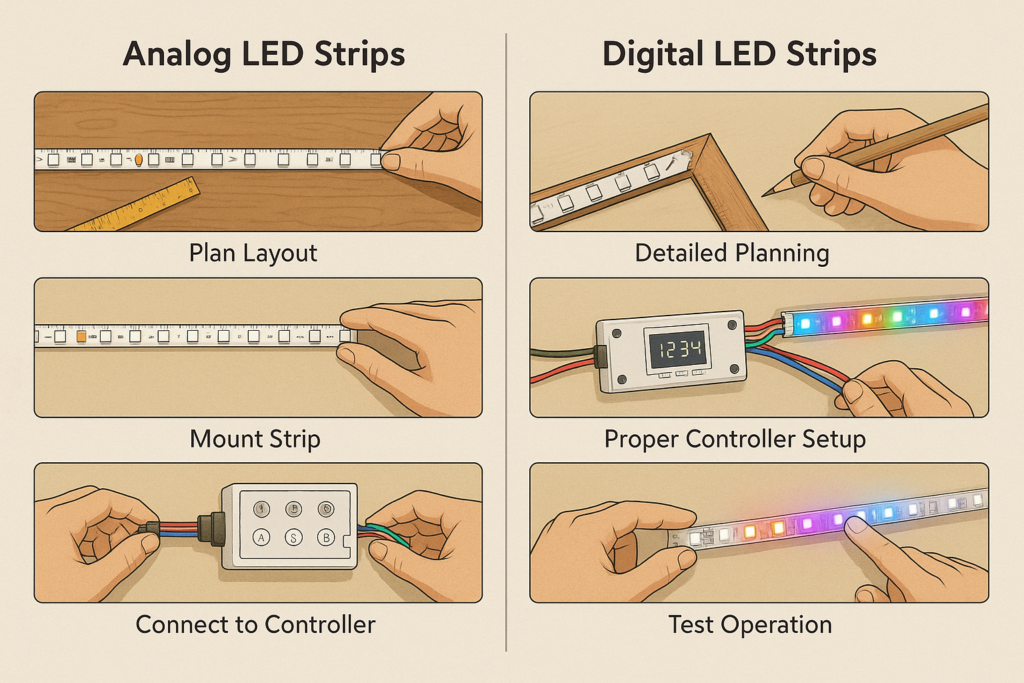
Good setup improves both strip types. Therefore, plan power, wiring, mounting, and testing before final install.
Analog LED strip installation
Plan the layout: measure the run and mark the strip path.
Prepare the surface: clean and dry the mounting area.
Connect the controller: use a matching analog RGB controller.
Test the strip: check color and brightness before final mounting.
Digital LED strip installation
Plan power and data: mark power feeds, data direction, and controller location.
Mount the strip: secure it with tape, clips, or channels.
Connect the controller: match voltage, ground, and data line.
Test each section: check colors, effects, and data flow.
Maintenance tips
Inspect wiring, controllers, and power supplies regularly.
Also, clean strips with a soft cloth to keep light output stable.
For long digital runs, check power injection points and data joints.
Troubleshooting quick checks
Dim light: check the power supply and voltage drop.
Wrong colors: check controller settings and wire order.
Digital flicker: check data direction, ground, and signal wiring.
Overheating: add airflow, reduce load, or use aluminum channels.
FAQs About Analog and Digital LED Strips
What is the main difference between analog and digital LED strips?
Analog LED strips change color and brightness across the whole strip. Digital LED strips allow control of each LED or zone, so they can create moving effects.
Are RGB LED strips analog or digital?
RGB strips can be either analog or digital. Analog RGB strips show one color across the whole run. Digital RGB strips can show many colors at once.
Can digital LED strips be used for basic ambient lighting?
Yes. Digital LED strips can show simple ambient light. However, if you only need one steady color, analog strips are usually easier and cheaper.
When should I choose digital over analog?
Choose digital when the project needs pixel effects, color waves, chases, or many zones. For simple accent light, analog is usually enough.
Conclusion and Next Steps
Analog and digital LED strips both have clear uses. Analog strips are simple, low-cost, and good for steady light. In contrast, digital strips are better for motion, effects, and creative scenes.
Start with the effect you want. Then, check budget, wiring, controller needs, and install skill. If the goal is simple, choose analog. If the goal is dynamic, choose digital.


 English
  Spanish
  French
  Arabic